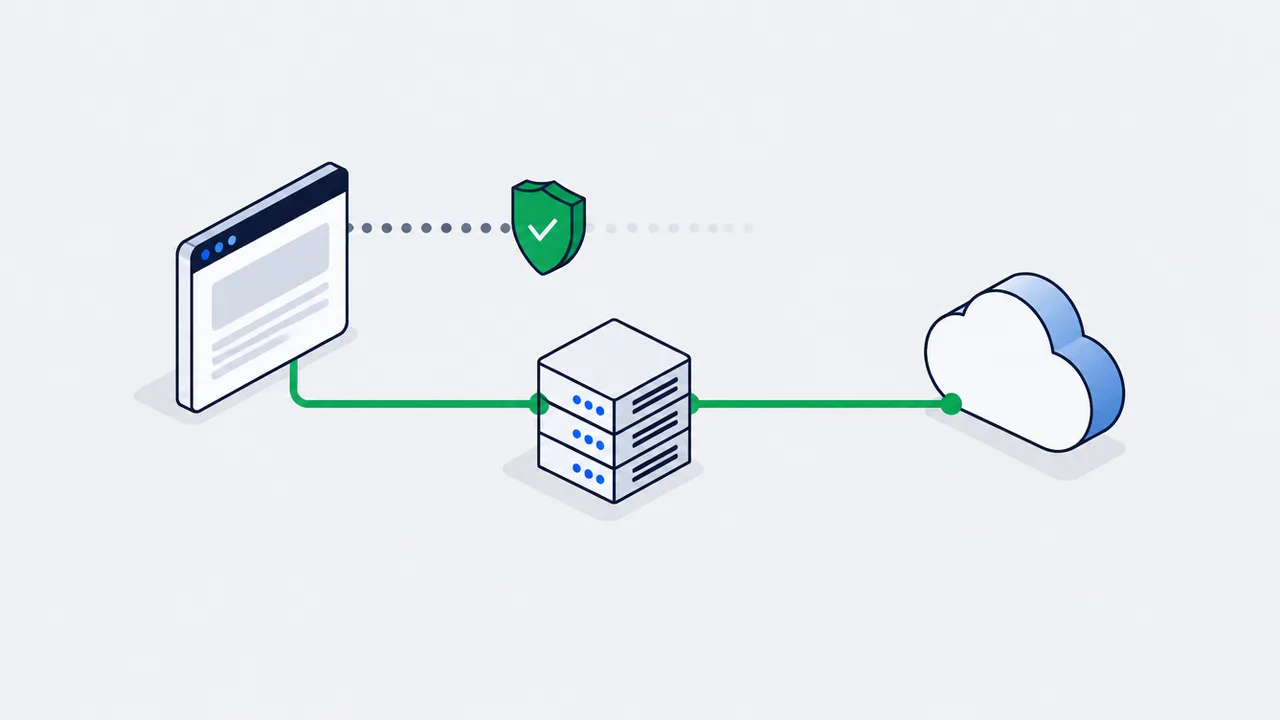
The browser Pixel alone no longer sees every conversion: ad blockers, ATT, ITP and third-party cookie restrictions each take a share of the signal, and the size of that share depends on your audience's browsers, devices and consent choices. The Conversions API (CAPI) sends conversions from your server to Meta directly. CAPIG, the Conversions API Gateway, is Meta's ready-made way to do that without writing your own backend: it runs in your cloud (AWS or GCP) on your subdomain and forwards the Pixel's data to Meta server to server.
A few years ago, setting up analytics was simple: you dropped a piece of JavaScript (the Pixel) on the site, and it obediently sent data about every click, add-to-cart, and purchase straight to the ad networks' servers.
Today this scheme is falling apart in front of our eyes. Ad blockers (AdBlock), privacy updates like iOS 14.5 (ATT), Safari ITP (Intelligent Tracking Prevention), and the tightening rules around third-party cookies have made the browser-side Pixel "go blind".
When the Meta, TikTok, or Snapchat algorithm does not receive enough purchase data, it cannot optimize properly. CPA (cost per action) goes up and traffic quality drops. There is only one way out - moving tracking to the server side (Server-Side Tracking).
Deep Dive: what is CAPI (Conversions API)?
Instead of relying on the user's fragile browser, the Conversions API (CAPI) lets your backend or CRM "talk" to Meta's servers directly.
Imagine the situation: a user visits the site with AdBlock on, places an order, and leaves.
- Pixel scenario: the Pixel is blocked. Meta does not know about the purchase. The algorithm considers the campaign ineffective.
- CAPI scenario: your server records the order in the database, takes the buyer's email (hashes it for safety), and sends a direct server request (HTTP POST) to Meta with the message: "This user bought goods worth KZT 10,000".
Why the Pixel loses conversions and CAPI does not
Browser tracking is breaking down - the signal moves to the server
Browser pixel
Third-party cookies
AdBlock, ITP, iOS 14.5 ATT
Events never reach Meta
- misses conversions
Server / CAPI
The backend records the order
Email is hashed with SHA-256
Direct HTTP POST to Meta
- not blocked
Meta's algorithm
Sees the full picture of purchases
Optimization works
CPA goes down
- dedup by event_id
A server-to-server request cannot be blocked by AdBlock or the browser.
The Pixel lives in the user's browser - CAPI sends the conversion between trusted servers.
Server-to-server tracking cannot be blocked by AdBlock or browser restrictions, because the data travels between trusted servers.
The difficulty of Direct CAPI However, a direct integration (Direct CAPI) requires a strong backend team. You have to write code to build the correct payloads, manage retries, handle hashing of personal data, and continuously maintain the API as Meta evolves it.
CAPIG: an infrastructure gateway without the pain
So that businesses do not have to write their own backend for tracking, Meta released a ready-made solution - the Conversions API Gateway (CAPIG).
CAPIG is a pre-built cloud infrastructure that runs on your cloud provider (for example, AWS or Google Cloud Platform).
CAPIG architecture: a first-party gateway for Meta
A ready-made black box from Meta in your cloud - no backend of your own
Pixel on the site
The base Pixel stays
Events go to your subdomain, not to Meta
CAPIG on a subdomain
data.goodlabs.kz - first-party
ITP lets the request through
Your cloud: AWS / GCP
- hash PII
- dedup
Meta CAPI
Server-to-server delivery
Higher EMQ
Lower CPA
CAPIG is deployed on AWS/GCP and linked to the Pixel through DNS.
A first-party subdomain gets past blockers - developer involvement is minimal.
How it works:
- You still use the basic Pixel on the site, but you configure it to send data not to Meta but to your own CAPIG, which lives on your subdomain (for example,
data.goodlabs.kz). - Because the request goes to your subdomain (first-party), browser blockers (ITP) do not treat it as third-party tracking and let it through.
- CAPIG accepts the raw data, processes it automatically, hashes the emails, and forwards a reliable server-to-server request straight to Meta.
CAPIG requires minimal developer involvement. In effect, it is a ready-made "black box" from Meta that just needs to be installed on AWS/GCP and tied to your Pixel through DNS settings.
The alternative: Server-Side GTM (ssGTM)
CAPIG is built first and foremost for Meta. If you run multi-channel campaigns (Google Ads, TikTok, and Snapchat are all rolling out their own CAPIs too), a dedicated CAPIG just for Meta can be inefficient.
In these cases we often recommend Server-Side Google Tag Manager (ssGTM). It works on a similar principle (running on your cloud server), but lets you send server events to Meta CAPI, the TikTok Events API, Google Analytics 4, and other systems simultaneously from a single entry point.
What to do next
For marketers:
- Watch the Event Match Quality (EMQ) metric in Events Manager. It shows how well the customer information in your server events matches Meta accounts. Treat a low score as a diagnosis, not a target: first check that
fbpandfbcarrive with server events, that you pass the browser's IP address and user agent rather than your server's, and that the email and phone you already collect are normalised and hashed. Do not add form fields just to raise the score. - Do not turn off the regular Pixel! The ideal setup is Pixel and CAPI running together. Meta deduplicates identical events (by
event_id) so a purchase is not counted twice.
For analysts and engineers:
- If your focus is purely on Facebook/Instagram and you do not have complex multi-channel funnels, deploy CAPIG. It is faster and cheaper to maintain.
- If you are building serious O2O analytics or actively using Google Ads and TikTok alongside Meta, invest in setting up Server-Side GTM.
- Normalise and hash contact fields (email, phone, name, city and the like) with SHA-256 before sending them. Meta expects the IP address, user agent,
fbpandfbcunhashed.
Server-side tracking used to be an edge held by a few advanced teams. Today it is a survival question for any business buying performance traffic.
Sources
FAQ
How much data does browser-side tracking actually lose?
There is no universal figure: it depends on how many of your buyers browse with ad blockers or in Safari, open the site from iOS apps where they declined tracking, and refuse cookies. Measure your own gap by comparing confirmed orders in your backend with the browser Purchase events that Events Manager shows for the same period. Nothing errors - the platform simply receives fewer conversions, which reads as a performance drop rather than a measurement problem.
Why can CAPI not be blocked the same way as the pixel?
Because the Conversions API sends events server to server. The data travels between trusted servers instead of through the visitor's browser, so AdBlock and browser restrictions have nothing to intercept. It is a second, independent signal that has to be deduplicated against the pixel.
CAPIG or server-side GTM?
CAPIG is close to a ready-made black box: install it on AWS/GCP, tie it to the Pixel through DNS, minimal developer involvement. Server-side GTM gives you a transformation layer - normalization, filtering, validation, routing to several destinations - at the cost of infrastructure someone has to run. Pick the one your team can still operate after the setup project ends.
Do I still need the Pixel after installing CAPIG?
Yes. CAPIG works with the basic Pixel on the site, which is configured to send its data to your CAPIG subdomain. Do not turn the regular Pixel off: the ideal setup is Pixel and CAPI running together, and Meta deduplicates identical events by event_id so a purchase is not counted twice.
Seeing this in your own funnel?
Two weeks, fixed scope, read-only access. You get the findings and a 90-day roadmap whether or not we work together afterwards.