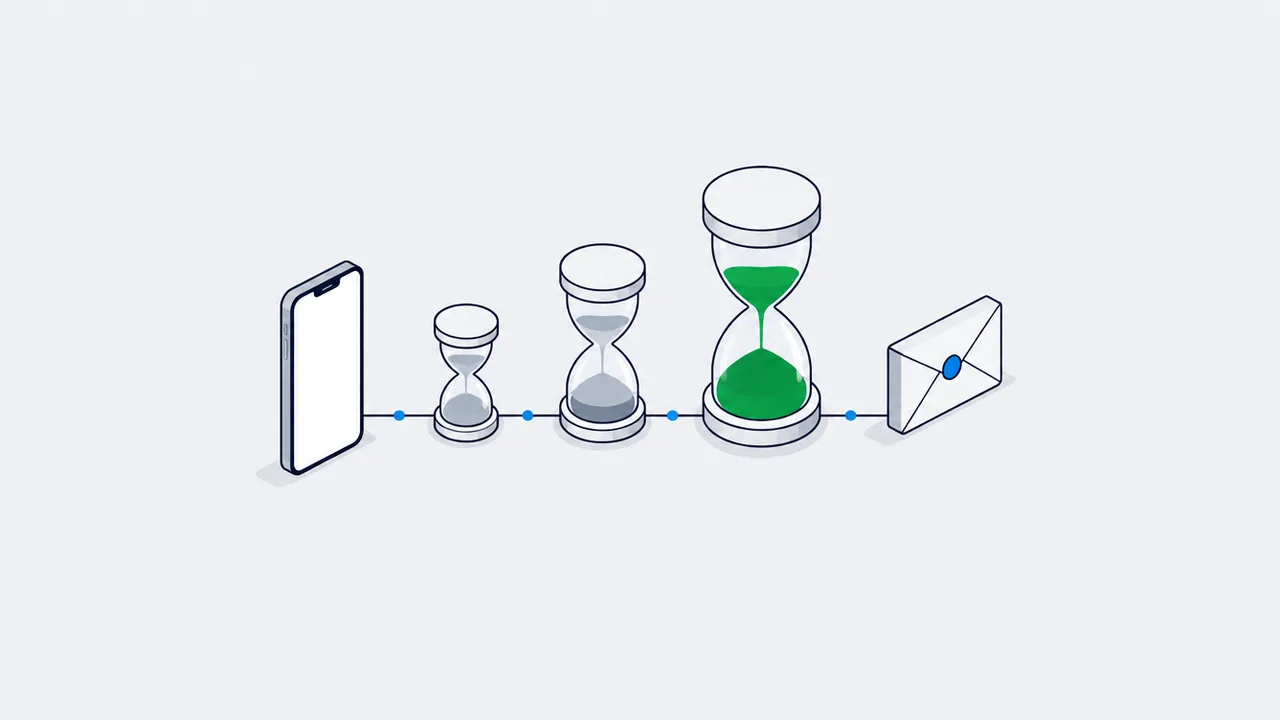
SKAdNetwork analytics works on aggregated, delayed postbacks, not on users. What you learn about an install is a conversion value from 0 to 63; every CV update resets a 24-hour timer, iOS then adds a random 0-24 hour delay, and the postback reaches the ad network and the MMP 24-48 hours later, sometimes longer, with no user_id. So the MMP decodes the values and joins them to spend, and the join with Firebase events happens in BigQuery, not inside Firebase.
When iOS 14.5 shipped with the App Tracking Transparency (ATT) prompt, the usual IDFA-based attribution broke. Today, Apple's SKAdNetwork (SKAN) is the only way left to estimate iOS ad effectiveness at all. We all had to forget about tracking individual users and learn to work with aggregated cohorts and delayed data. If your team learns to properly link SKAN, MMP, and Firebase data together, you stop pouring budget into a void and can actually optimize CAC.
Context: what we are dealing with
Before ATT, everything was simple: the user clicked an ad, the ad network sent the device ID (IDFA) to the MMP, and after install the MMP joined the click and the conversion with 100% accuracy.
The new SKAN reality looks different:
- Aggregated data: we no longer see individual users. Data arrives in bulk batches.
- Delayed postbacks: conversion notifications are intentionally delayed by 24-48 hours (sometimes longer), so we cannot identify a user by install time.
- Event limits: we now have Conversion Values. It is simply a number from 0 to 63. And you have a very narrow window to encode the most important information into that number.
The natural question is: how do you optimize ad campaigns quickly when results arrive only a couple of days later and in such a stripped-down form?
Deep dive: how this works under the hood
To work with SKAN properly you need to understand the full data path from click to dashboard. It involves the device (iOS), Apple itself, the ad network, and your MMP.
SKAN timers: why the postback arrives late
Conversion value, two timers and a 24-48 hour delay
First launch
starts a 24h timer
- CV 0-63
In-app actions
CV only goes up
an update resets the timer
- reset 24h
Random timer
another 0-24 hours
protection against identification
- lag 24-48h
Postback
to the network and the MMP
aggregated batch
- no user_id
Every CV update resets the timer: more data, a later postback.
Judge a cohort on day 3-4 - daily optimization does not work on SKAN.
The logic of timers and Conversion Values (CV)
At the core of SKAN is the Conversion Values (CV) system. As soon as a user opens the app for the first time, a 24-hour timer starts. Any meaningful action (a registration or a purchase) can update the CV, but only upward.
One important nuance: every successful CV update resets the 24-hour timer. We collect more behavioral data but push the postback even further into the future.
Once the user stops doing the actions you care about and the timer expires, iOS starts a second, randomized timer (0 to 24 hours). The postback goes to the ad network and the MMP only after that timer runs out. That random timer is why ad-account numbers always lag.
The integration path (SKAN + MMP + Firebase)
Without proper infrastructure, SKAN data will stay as opaque numbers between 0 and 63. Our job is to decode them, tie them to ad spend, and store them inside the core analytics (Firebase, GA4, or BigQuery).
The role of the MMP (AppsFlyer, Adjust, Branch)
The MMP acts as the central hub:
- CV mapping configuration: inside the MMP dashboard you define the rules. For example, CV 1 = "Registration", CV 2 = "Purchase < $10".
- Postback collection: networks deliver SKAN postbacks to the MMP, which decodes them by your rules.
- Data joining: the MMP joins this data with its own attributions and the spend from the ad accounts.
Integration with Firebase and BigQuery
Because SKAN postbacks contain no user_id or app_instance_id, we cannot just bind them to user sessions in Firebase. The right architecture goes through a warehouse:
SKAN + MMP + Firebase through BigQuery
We do not push SKAN events into Firebase - we join the raw data in the warehouse
SKAN postbacks
networks send them to the MMP
CV with no user_id
- aggregates
MMP
AppsFlyer, Adjust
CV mapped to events
ad account spend
- Data Locker
- Pull API
BigQuery
raw data from the MMP
Firebase events
- one model
Reports
Blended ROAS
pLTV by cohort
- 3-7 day windows
A SKAN postback has no user_id - joining is only possible at the aggregate level.
Raw MMP and Firebase data are joined in BigQuery into Blended ROAS.
Instead of trying to push SKAN events directly into Firebase, we export the raw data from the MMP (via Data Locker or the Pull API) and the raw events from Firebase into a single store - BigQuery. And then, inside BigQuery, we build aggregated reports such as Blended ROAS.¹ Blended ROAS is calculated as the ratio of all generated revenue to total ad spend.
Optimizing campaigns in real time is a bad idea. Because of SKAN delays, you can only assess a cohort honestly on day 3-4 after install. Give campaigns time.
What to do next
For marketers:
- Evaluate campaigns in 3-7 day windows and forget about daily optimization.
- Focus on LTV prediction (pLTV). Find the in-app actions during the first 24 hours that predict future purchases best and tie them to Conversion Values.
- Watch Blended ROAS (total revenue / total spend) to see the full picture.
For analysts:
- Set up a Raw Data export from the MMP to Google BigQuery.
- Build a single data model that ties ad-account spend, SKAN postbacks, and Firebase events together.
For developers:
- Make sure the MMP SDK initializes immediately on app start. Otherwise you lose the beginning of the install window.
- Show the ATT (App Tracking Transparency) prompt at the right moment in onboarding so that users are more likely to grant tracking consent.
The trick is to step beyond the old attribution metrics and build a BigQuery-based stack that keeps working even under strict privacy rules.
Sources
FAQ
How do the SKAdNetwork timers work?
The postback is held behind a timer, and every successful conversion value update resets the 24-hour window. You collect richer behavioural data and push the postback further into the future at the same time.
Can I optimize iOS campaigns daily on SKAN data?
Not honestly. Because of the delays, a cohort can only be assessed properly on day 3-4 after install. Daily changes are reactions to the fastest-arriving part of the cohort, not to the cohort.
What does an MMP add on top of SKAN?
SKAN postbacks arrive aggregated, delayed and with no user_id. The MMP (AppsFlyer, Adjust or Branch) holds your conversion value mapping, collects the postbacks from the networks, decodes them by your rules and joins them with its own attributions and ad-account spend. Its raw data then goes into BigQuery next to Firebase events, instead of being pushed into Firebase directly.
How do you measure ROAS for iOS campaigns under SKAN?
At cohort level, in a warehouse. Export the MMP's raw data via Data Locker or the Pull API and Firebase's raw events into BigQuery, tie them to ad-account spend, and build Blended ROAS there as total revenue divided by total spend. Read it in 3-7 day windows, because a cohort can only be assessed honestly on day 3-4 after install.
Seeing this in your own funnel?
Two weeks, fixed scope, read-only access. You get the findings and a 90-day roadmap whether or not we work together afterwards.