For a topic like "analytics" it is easy to generate a handsome screen full of charts. But if the article explains why two events belong to one order, a decorative screen does nothing to help you see the mistake. An illustration needs a specific job to do.
Start with a sentence: "After this picture the reader should understand...". The difference between an order and the messages about it, say. That goal decides the objects, the connections and the labels long before the colour or a striking background.
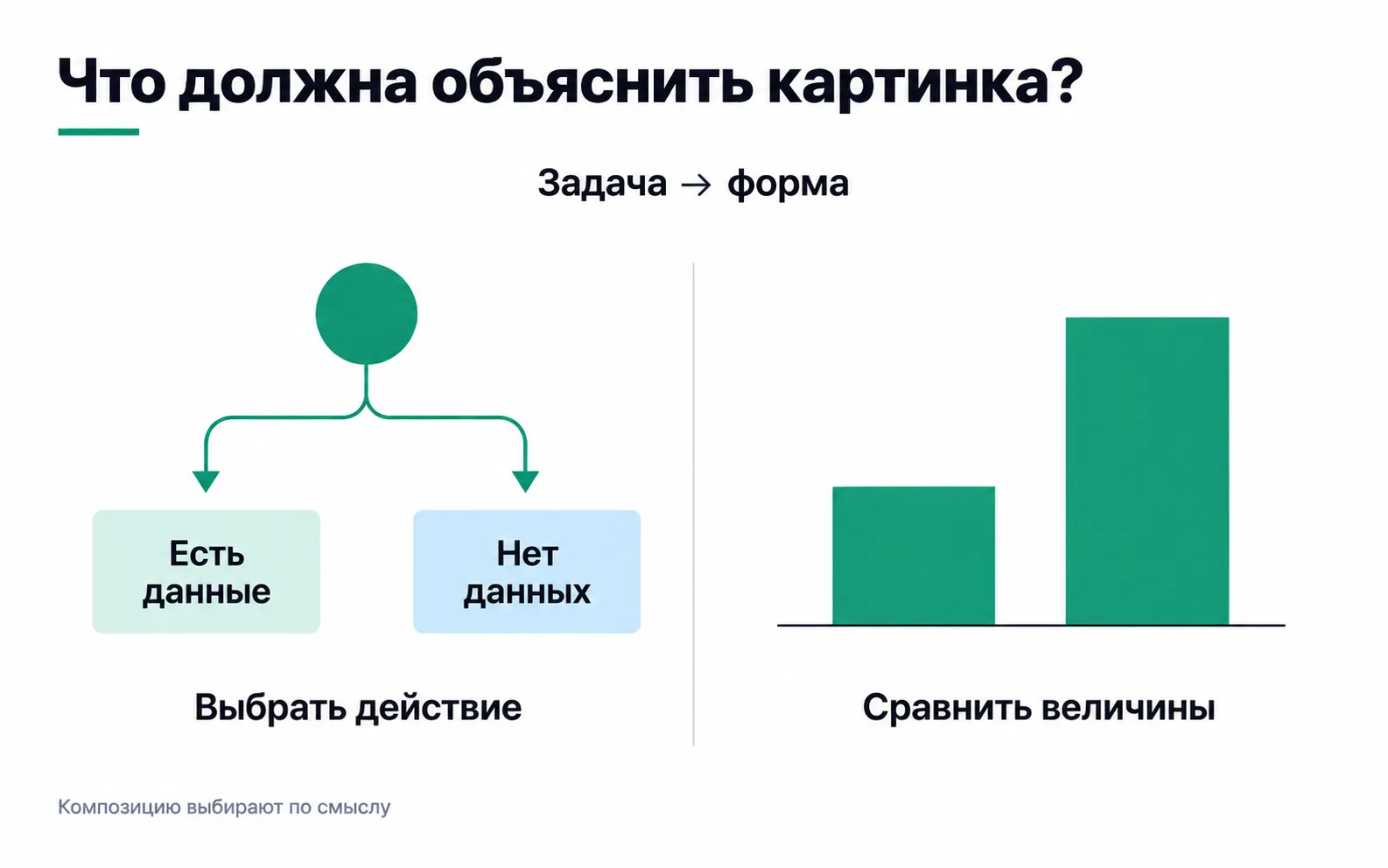
Choose the form to fit the explanation
If the point is to compare two states, put them side by side at the same scale. If the point is a sequence, make the steps stand out. If the decision depends on a condition, use a branch with outcomes you can read.
A chart is for a quantitative relationship. It needs source data, units and a visual encoding that suits them. Bars drawn for atmosphere cannot be served up as statistics.
An object or an interface may call for a real screenshot. Generation must not change material properties of the product if the reader takes the image as an accurate representation of it.
Describe the elements that must not change
In the brief, state the teaching goal, the main objects, the exact text and the connections. Separately, write down what must not be invented: numbers, client results, product properties or missing stages of a process.
Here is a ready-made example for a schematic diagram:
Show one order 101 and two sends of the message about it: one from the browser, one from the server. Both records must contain purchase and the number 101. Caption: "Check for duplication". Do not draw two different orders and do not claim that the final report necessarily counted two sales. White background, large English typography, teal for the main path and a blue accent. Leave enough room for it to be read on a phone.
You can use this prompt in whichever generation tool you have chosen. It describes the result but does not guarantee that the result is executed exactly. After generating, check every condition.
Treat a reference as a set of rules
From a reference you can take the palette, the density, the character of the lines, the heading size and the way things are annotated. You don't have to copy its composition: a new topic may need a different structure.
For Academia's current illustrations the reference points are a white background, teal, a restrained blue accent, clear typography and a visible centre of meaning. Expressiveness comes from a useful contrast or connection, not from the same grid of cards on every page.
If all the images have started to look alike, revisit what each one is for. A queue, a comparison, a route and an error in a calculation should all read differently.
Check the meaning before the styling details
Count the objects and check which way the arrows point. Make sure a label belongs to the element it describes. For a chart, check the data and the geometry: identical numbers can leave a false impression when the baseline or the scale differs.
When you find a mistake, ask for a precise change: remove the extra record, correct the date or move the baseline of the bar. After the fix, review the whole result: neighbouring elements may have changed along with the one you meant.
A detailed example of this kind of review is in the article on generative visuals. Keep the original brief and the version you approved, so that a later update doesn't lose the point.
Look at the image inside the article
A large file can look good on its own and read badly on a phone. Check it at the real width of the text. If the key explanation depends on a tiny label, simplify the composition or move what matters into ordinary text.
The caption should explain what exactly is shown and where the limits are. Mark sample data as sample data. Alt text carries the meaning of the image to people who cannot see it.
In Academia images can be opened on their own and enlarged. But the basic takeaway has to stay available to someone simply reading the page.
Exercise: what to cut from the brief
The article explains one missing verification step, while the brief asks for "a robot, mountains, ten charts and a glowing dashboard". How do you make it more useful?
Answer: name the missing step, show where it sits in the sequence and label the consequence of skipping it. Remove the objects that don't serve that comparison. Then set the style and check that the diagram you get really does explain the step without a long comment beside it.