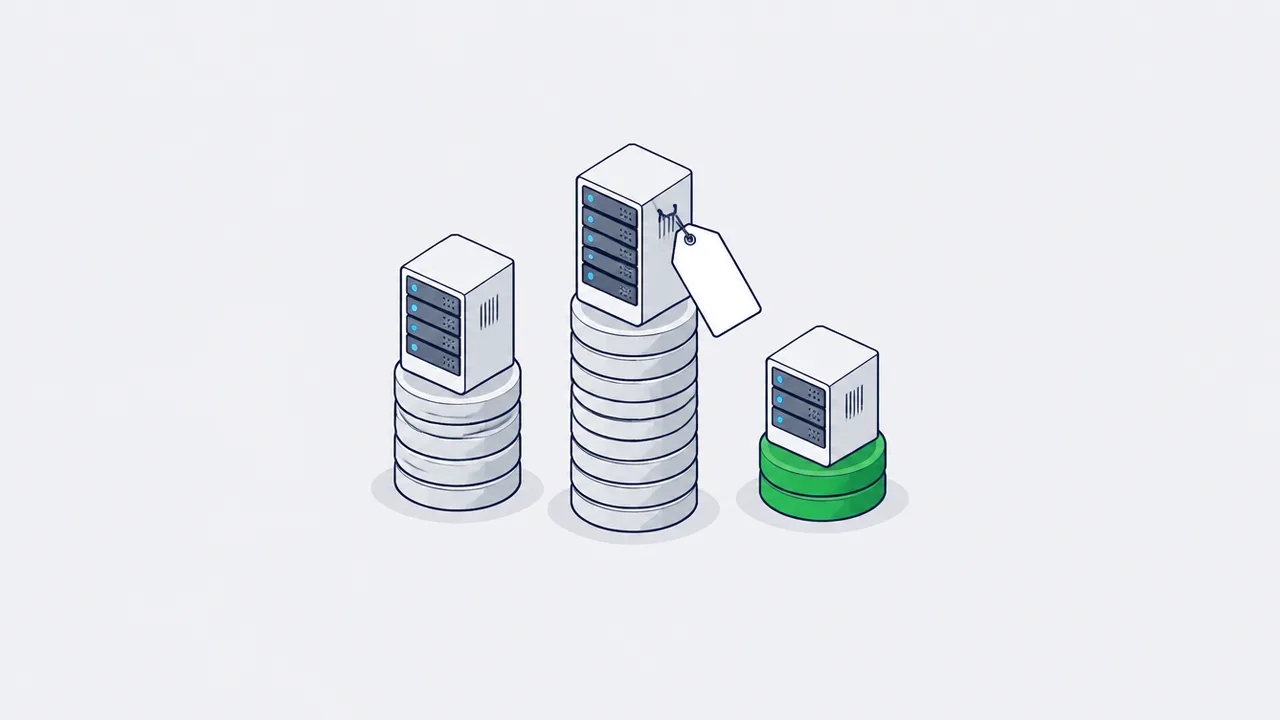
Вычисления - самая дешёвая часть эксплуатации server-side GTM. Для нагрузки, которую Stape тарифицировал бы в $83 в месяц, рекомендованная Google конфигурация Cloud Run обходится примерно в $135 (два инстанса тегирования плюс preview-сервер), а мой self-hosted VPS, разделяемый с другими сервисами, - примерно в $14. Счёт формирует то, чего нет на страницах с ценами: egress, стриминг в BigQuery, аддоны, ботовый трафик и инженер, который отвечает за контейнер.
Каждый материал про цены на sGTM называет сумму в месяц, и почти ни в одном не показана арифметика. Всё интересное прячется именно в этом зазоре: preview-сервер, который никто не считает, строка за egress, стриминг в BigQuery, всплывающий на третий месяц, и тот факт, что вычисления тут - самая дешёвая часть конструкции.
Всё, что ниже, собрано из опубликованных тарифов и рекомендаций самих вендоров по сайзингу, с показанными выкладками, чтобы вы могли пересчитать это на своих числах, а не верить моим. Там, где я моделирую, а не сообщаю факт, я об этом говорю.
Сначала - что именно вы арендуете
Server-side GTM это Node-приложение, которое распространяется как Docker-образ. Google публикует референс:
с CONTAINER_CONFIG для строки конфигурации контейнера и PREVIEW_SERVER_URL, указывающим на отдельный preview-инстанс.¹
Один этот факт объясняет весь ценовой ландшафт. Вы не покупаете у Google продукт: контейнер бесплатный и живёт в вашем обычном аккаунте GTM. Вы арендуете место, где запустить образ контейнера, и каждый провайдер ниже берёт с вас за вычисления плюс некоторое количество удобства. Отсюда же и такой широкий разброс цен: управляемый хостинг и VPS за €5 крутят один и тот же бинарник.
Google Cloud Run: арифметика самого Google
Сразу оговорюсь: я не запускал sGTM на Cloud Run в проде, поэтому этот раздел - опубликованные цифры Google, а не мой счёт.
Из гайда Google по настройке на Cloud Run:²
- Каждый сервер - это инстанс Cloud Run с 1 vCPU и 0,5 ГБ памяти, по модели тарификации CPU always allocated
- «В такой конфигурации Cloud Run каждый сервер стоит примерно $45 в месяц (USD)»
- «Мы рекомендуем запускать минимум 2 инстанса, чтобы снизить риск потери данных при отказе сервера»
- «Мы ожидаем, что автомасштабирование 2–10 серверов справится с 35–350 запросами в секунду, хотя производительность зависит от количества тегов»
И из гайда по ручной настройке: «Вы должны развернуть ровно 1 preview-сервер. Не настраивайте автомасштабирование больше чем на 1 инстанс».¹
Сделайте арифметику, к которой Google подводит, и производственный минимум получается 2 инстанса тегирования плюс 1 preview-инстанс ≈ $135 в месяц - до единого байта egress, до BigQuery, до любого всплеска трафика. Часто цитируемый «порог Cloud Run в $120 в месяц» - та же оценка, просто округлённая помягче; в любом случае речь про три инстанса, а не про один.
Дешевле не получается именно из-за CPU always allocated. Это рекомендация Google, и она правильная: сервер тегирования, который масштабируется в ноль, теряет хиты на холодном старте, а потерянный хит - это конверсия, которую вы никогда не увидите. Вы намеренно платите за простаивающую мощность. Кто называет $10–25 в месяц за sGTM на Cloud Run, тот считает конфигурацию с тарификацией по запросам и масштабированием в ноль, которую собственный гайд Google для прода не рекомендует.
Stape: опубликованный прайс-лист
Прайс Stape по состоянию на июль 2026:³
| Тариф | В месяц | В год | Запросов в месяц |
|---|---|---|---|
| Free | $0 | - | 10 тыс. |
| Pro | $17 | $200/год | 500 тыс. |
| Business | $83 | $1 000/год | 5 млн |
| Enterprise | $167 | $2 000/год | 20 млн |
| Custom | по запросу | - | без лимита |
Две детали мелким шрифтом меняют сравнение сильнее, чем цена в заголовке.
Один контейнер равен одному сайту. Каждому сайту нужна своя подписка; растянуть тариф Business на контейнеры пяти клиентов не выйдет. Если вы агентство - умножайте.
Запросы означают только входящие запросы. Один просмотр страницы, который внутри контейнера разлетается в GA4, Meta CAPI и TikTok Events API, - это один тарифицируемый запрос у Stape и три исходящих вызова. На собственной инфраструктуре это один входящий запрос и три исходящих вызова, за которые вы платите egress. Именно из-за этой детали квоты Stape по запросам выглядят жёстче, чем они есть, и именно поэтому «500 тыс. запросов» хватает заметно дальше, чем хватило бы «500 тыс. событий».
Есть ещё переключатель автоматического апгрейда, который поднимает вас на тариф выше при превышении лимита.³ Оставите включённым - не потеряете данные; оставите включённым без алерта - узнаете о смене тарифа из счёта. В любом случае настройте биллинговое уведомление.
И тариф - это ещё не счёт. Тариф выше покупает вам контейнер. Аддоны Gateway и Signals - выделенные шлюзы для Meta CAPI, TikTok eAPI, Snapchat CAPI - тарифицируются отдельно, примерно от $10 за пиксель в месяц, и складываются друг с другом. Это та строка, за которой я слежу в собственном аккаунте: тариф контейнера стабилен и предсказуем, а ползут именно аддоны, потому что каждый прицепляется к пикселю, а пиксели никто не выводит из эксплуатации. Тариф контейнера плюс три шлюза - это уже другое число, не то, что на странице с ценами, и именно его стоит моделировать агентству с несколькими брендами.
Self-hosted на VPS
Вот здесь арифметика становится неудобной для всех остальных, поэтому важно аккуратно проговорить, что в неё входит, а что нет.
Начнём с сайзинга от Google - это единственная опубликованная оценка ёмкости, не привязанная к вендору хостинга: один инстанс это 1 vCPU и 0,5 ГБ памяти, и 2–10 таких держат 35–350 запросов в секунду.² Считайте, примерно 35 rps на vCPU при умеренной нагрузке тегами. Это порядка 90 млн запросов в месяц с одного ядра - на два порядка больше, чем тариф Business у Stape.
То есть машина нужна маленькая, а маленькие машины дёшевы. Моя - VPS у казахстанского провайдера с поквартальной оплатой 20 000 тенге, то есть около 6 700 тенге в месяц, примерно $14 по курсу ~475 KZT/USD конца июля 2026.⁷ На этой же машине крутится и другое, так что считайте это потолком стоимости сервера тегирования, а не чистой цифрой на сервис - и в этом, собственно, суть: при таком размере вы не выделяете машину под сервис, а ставите контейнер на коробку, которая у вас и так работает.
Европейские аналоги укладываются в тот же диапазон: машина 2 vCPU / 4 ГБ на shared vCPU в Hetzner стоит однозначное число евро, хотя в июне 2026 они провели корректировку цен на облако - так что смотрите текущую цифру, а не ту, что в старых туториалах.⁸
Итого честное сравнение для нагрузки, которую Stape тарифицировал бы в $83:
| В месяц | |
|---|---|
| Cloud Run, рекомендованная Google конфигурация для прода | ~$135 |
| Stape Business, без аддонов | $83 |
| Self-hosted VPS, разделяемый с другими сервисами | ~$14 |
И честная оговорка - ровно то, из-за чего дешёвая колонка не является очевидно правильной: цифра за VPS покупает вам вычисления и ничего больше. В них не входит TLS на first-party поддомене, мониторинг, который сообщит вам, что контейнер перестал отвечать, периодические рестарты для подтягивания обновлений рантайма (Google их рекомендует, а контейнер, к которому год не прикасались, крутит годовалый рантайм¹) и человек, который всё это делает. Это не умозрительные вещи - это и есть работа, и именно из-за неё коробка за €5 не выигрывает у тарифа за $83 для большинства команд. См. последний раздел.
Cloudflare: с апреля 2026 ответ изменился
Большинство материалов до сих пор пишет, что Cloudflare не может хостить sGTM. Это было правдой и правдой быть перестало, так что стоит точно сказать, что именно поменялось.
Workers по-прежнему не могут его хостить. Workers - это рантайм на изолятах V8: он выполняет JavaScript, а не образы контейнеров. sGTM поставляется как Docker-образ с Node внутри. Worker перед вашим сервером тегирования действительно полезен: first-party эндпоинт, кастомный загрузчик, место, где переписать запрос до того, как он дойдёт до контейнера. Но это прокси, а не хост.
Cloudflare Containers могут. Containers и Sandbox SDK вышли в general availability 13 апреля 2026 года на тарифе Workers Paid и запускают любой Docker-образ, в том числе из Docker Hub.⁴ Технических причин, по которым образ sGTM там не заработает, нет.
Опубликованные тарифы, на Workers Paid за $5 в месяц:⁵
| Ресурс | Включено | Сверх лимита |
|---|---|---|
| Память | 25 ГиБ-часов/мес | $0,0000025 / ГиБ-секунда |
| CPU | 375 vCPU-минут/мес | $0,000020 / vCPU-секунда |
| Диск | 200 ГБ-часов/мес | $0,00000007 / ГБ-секунда |
Тарификация идёт по 10 мс активного времени работы, CPU считается только по активному CPU, а контейнеры масштабируются в ноль.
Главное здесь - понять модель тарификации. CPU по активным циклам очень дёшев для сервера тегирования, который бóльшую часть жизни ждёт I/O, а не считает. Память и диск тарифицируются, пока инстанс не спит, а серверу тегирования вы хотите обеспечить постоянное бодрствование: масштабирование в ноль означает холодные старты, а холодные старты означают потерянные хиты - ровно по той же причине, по которой Cloud Run нужен CPU always allocated.
Значит, моделируем постоянно бодрствующий инстанс basic (1/4 vCPU, 1 ГиБ памяти, 4 ГБ диска) на месяц в 730 часов:
- Память: 730 ГиБ-часов − 25 включённых = 705 ГиБ-часов ≈ $6,35
- Диск: 2 920 ГБ-часов − 200 включённых = 2 720 ГБ-часов ≈ $0,69
- CPU: только активный, и низкий для I/O-bound нагрузки
- Плюс $5 за тариф Workers Paid
Получается что-то в районе первых десятков долларов за постоянно бодрствующий инстанс против примерно $45 за эквивалентный инстанс Cloud Run. Это арифметика по прайс-листу, а не счёт: Workers перед пайплайном тегирования я запускал, а вот sGTM на Cloudflare Containers в проде - нет. Проверьте по калькулятору самого Cloudflare, прежде чем планировать вокруг этого миграцию, и учитывайте, что вы будете ранним: опубликованного операционного опыта по такой конфигурации пока почти нет.
Строки расходов, которые никто не называет
Вот эта часть и превращает оценку в $17 в счёт на $60.
Preview-сервер. Это второй инстанс, он работает постоянно, и его нет примерно ни в одном сравнении стоимости, которое мне попадалось. На Cloud Run это треть вашего минимума.
Egress. Каждый исходящий вызов в Meta, TikTok, Google и Snapchat - это тарифицируемый трафик на инфраструктуре, которой владеете вы. На событие мало, на 5 млн событий уже не мало.
Стриминг в BigQuery. Стриминг сырых событий из серверного контейнера в BigQuery - самая частая история «почему счёт вырос втрое», которую мне рассказывают. Это отдельный продукт с отдельной тарификацией, и в строку sGTM его при планировании бюджета никто не добавляет.
Ботовый трафик. Ваш эндпоинт тегирования - публичный first-party URL. Сканеры, скраперы и мусорный трафик по нему бьют, и на тарифе с оплатой по запросам вы платите за каждый. Прежде чем подбирать тариф, посмотрите, какая доля входящих запросов настоящая.
Запросы против событий. Уже разобрано выше, и стоит перечитывать это на любой странице с ценами: «запросы», «события» и «хиты» у трёх вендоров означают три разные вещи, и разница может быть в порядок величины.
Домен, TLS, DNS. Деньги копеечные, забыть некопеечно. First-party поддомен с валидным сертификатом - жёсткое требование, а не оптимизация.
Поддержка. Образ обновляется. Конфигурация контейнера меняется, когда меняется контейнер GTM. Кто-то владеет рестартами и мониторингом, а если не владеет никто - вы узнаете об этом во время кампании.
Инженер. Вот настоящее число. При любой консалтинговой или внутренней ставке один день аналитика-инженера стоит дороже, чем год Stape Pro. sGTM дорог не хостингом. Выбрать хост по цене, а потом три дня отлаживать собственный Docker - откровенно плохая сделка, и это самая частая ошибка, которую я вижу в этом решении.
Как выбирать
- До ~500 тыс. запросов в месяц, без выделенной инфраструктурной команды: управляемый хостинг. Разница в цене с self-hosted меньше, чем стоит половина вашего рабочего дня.
- Миллионы запросов, уже есть периметр в GCP, есть человек, который владеет Cloud Run: Cloud Run, с честно заложенным минимумом из трёх инстансов.
- Несколько контейнеров под несколько клиентов или брендов: начинает выигрывать self-hosted, потому что на управляемых платформах цена за контейнер умножается, а ваша машина - нет.
- Жёсткие требования к резидентности данных: это решает вопрос раньше цены. Проверяйте, где провайдер реально терминирует запросы, а не где у него головной офис.
- Любой из вариантов, если sGTM ещё не окупает себя: не надо. Опубликованное эмпирическое правило - что сложность sGTM начинает окупаться примерно от $5 000 в месяц медийного бюджета⁶ - по моему опыту близко к истине. Ниже этого сначала почините клиентское тегирование.
Что из этого следует
Вычисления - не дорогая часть. Минимум Cloud Run по цифрам самого Google около $135 в месяц, средний тариф Stape - $83, VPS дешевле обоих, и разница между всеми тремя - это примерно один час инженерного времени в месяц.
Дорого обходится сервер тегирования, которым никто не владеет: без рестартов, без мониторинга, молча теряющий хиты в вашу самую трафиковую неделю, с экспортом в BigQuery, который забыли заложить в бюджет. Выбирайте хост, который съест меньше всего внимания вашей команды, закладывайте preview-сервер и egress, а сэкономленный спор потратьте на конфигурацию контейнера.
Источники
- Manually set up server-side tagging - Google for Developers
- Set up server-side tagging on Cloud Run - Google for Developers
- Stape pricing
- Containers and Sandboxes are now generally available - Cloudflare changelog, 13 April 2026
- Cloudflare Containers pricing
- GTM server-side tagging - ceaksan.com
- USD/KZT reference rate, late July 2026 - exchangerates.org.uk
- Hetzner price adjustment, 15 June 2026 - Hetzner Docs
Частые вопросы
Можно ли снизить счёт за Cloud Run, если позволить sGTM масштабироваться в ноль?
Безопасно - нет. Сервер тегирования, который масштабируется в ноль, теряет хиты на холодном старте, а потерянный хит - это конверсия, которую вы никогда не увидите. Поэтому Google рекомендует CPU always allocated, примерно $45 в месяц за сервер. Цифры $10–25 в месяц за sGTM на Cloud Run относятся к конфигурации с тарификацией по запросам и масштабированием в ноль, которую собственный гайд Google для прода не рекомендует.
Можно ли покрыть одним тарифом Stape несколько сайтов или клиентских контейнеров?
Нет. У Stape один контейнер равен одному сайту, и каждому сайту нужна своя подписка, так что растянуть тариф Business на контейнеры пяти клиентов не выйдет. Для агентств цена за контейнер умножается, и именно здесь начинает выигрывать self-hosted, потому что ваша машина от числа контейнеров не умножается. Аддоны Gateway и Signals тарифицируются сверху отдельно.
Что будет, если превысить лимит запросов в Stape?
У Stape есть переключатель автоматического апгрейда, который поднимает вас на тариф выше при превышении лимита. Оставите включённым - не потеряете данные; оставите включённым без алерта - узнаете о смене тарифа из счёта, так что в любом случае настройте биллинговое уведомление. И проверьте, какая доля входящих запросов настоящая: на тарифе с оплатой по запросам вы платите и за ботовый трафик.
Что не входит в дешёвую цифру за self-hosted VPS?
Всё, кроме вычислений. В неё не входит TLS на first-party поддомене, мониторинг, который сообщит, что контейнер перестал отвечать, периодические рестарты для обновлений рантайма и человек, который всё это делает. На моей машине крутится и другое, так что цифра - потолок стоимости сервера тегирования. Именно из-за этой работы дешёвый вариант не выигрывает у тарифа Stape за $83 для большинства команд.
Узнаёте свою воронку?
Две недели, фиксированный скоуп, доступы только на чтение. Находки и роадмап на 90 дней остаются у вас в любом случае.