The marketer at the same IELTS centre pastes the course page address into the URL Inspection bar in Search Console. The answer is short: "URL is not on Google". The page itself opens, the sign-up form works, and Google and Instagram ads send people to it every day. Further down, the "Indexing allowed?" field says "No" and names the reason: a robots meta tag with a noindex rule.
Finding out where the ban came from takes one call to the developer. When the site was rebuilt, the new version was put together on a test address and closed to search engines so the draft wouldn't end up in results. During the move the ban was removed from the home page template, but nobody remembered the template for inner pages, which the course, the timetable and the teacher pages are built on. Visitors never notice, because only crawlers read that tag. As a result the home page comes up for the centre's name, while the course page isn't in Google at all.
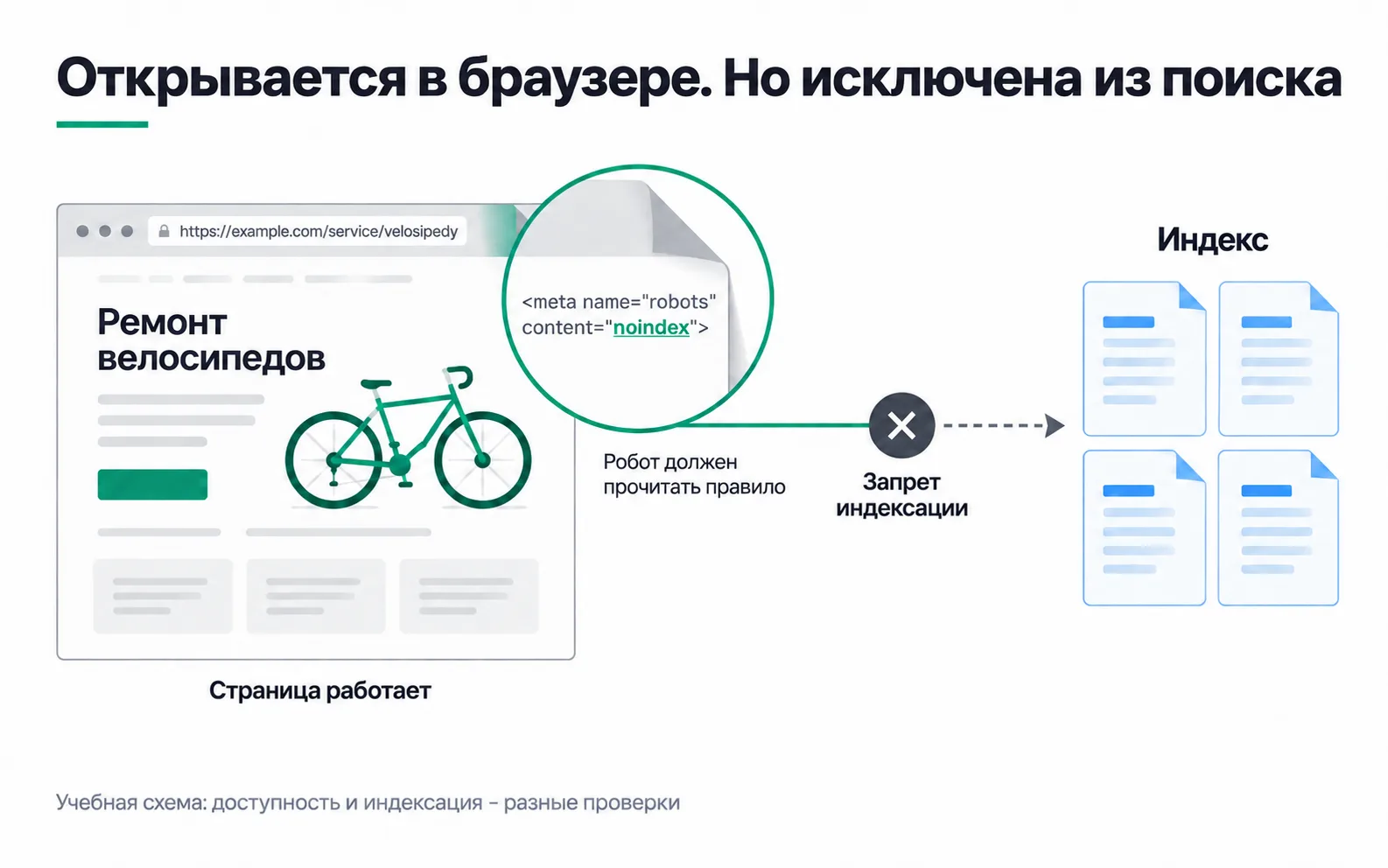
The picture shows the same principle in another niche.
What a technical audit checks
For every important page an audit answers three questions. Can the crawler get it: is it blocked in robots.txt, what does the server return, do any links lead to it. Is it allowed into the index: is there a noindex, does the search engine treat it as a copy. And does the crawler see what a person sees on a phone. Once all three answers are yes, it's down to the page's content, and that's on-page work.
You don't start with the page itself but with two reports in which the search engines tell you what's wrong. In Search Console it's the page indexing report: how many pages are indexed and why the rest aren't. In Yandex Webmaster it's Indexing, then Pages in search, on the excluded pages tab, where each page carries a status such as a noindex ban or a duplicate.
Google knows 38 addresses on the centre's site:
| Reason in the report | Pages | What they are at the centre | What to do |
|---|---|---|---|
| Indexed | 14 | Home page, articles, contacts | Nothing |
| Excluded by 'noindex' tag | 6 | Course, timetable, trial lesson, three teacher pages | Remove the ban from the template, urgently |
| Not found (404) | 11 | Addresses from the old site | Redirect the three that have links, leave the rest |
| Page with redirect | 4 | http addresses that lead to https | Nothing, that's by design |
| Crawled, currently not indexed | 3 | Short "Group enrolment open" news items from past years | Not urgent |
Not every row in a report like this is a fault. According to Google's help, the index should hold not every page on a site but only the main versions, and that a page marked crawled but not yet indexed may get in later, with no need to resubmit it. Yandex has a similar status: low-value or low-demand page. The centre doesn't need its old enrolment news in search anyway.
Only one row is urgent: the six pages with noindex, which include every page where you can sign up.
robots.txt, noindex and canonical: three different settings
| Setting | What it does | What it doesn't do |
|---|---|---|
| robots.txt (Google, Yandex) | Stops the crawler from crawling addresses | Doesn't remove a page from search: an address that other pages link to can still appear in results without a description |
noindex in a meta tag or in an X-Robots-Tag header (Google, Yandex) | Removes the page from search once the crawler has read it | Has no effect if the page is blocked in robots.txt: the crawler never sees the ban |
| canonical | Suggests which of several similar pages is the main one | Doesn't redirect the visitor and doesn't bind the search engine |
At the centre the ban sits in the page's <head> and looks like this:
A student's personal account area is closed with neither: it goes behind a password.
A canonical is a hint. The strongest signals for choosing the main version are a 301 redirect and rel="canonical", the weakest is the address appearing in the sitemap, and Google may pick a different version from the one you declared. URL Inspection shows its choice, with the "User-declared canonical" and the "Google-selected canonical" side by side (the URL Inspection tool). Pointing the canonical of every course page at the home page is a mistake: if the search engine goes along with it, the very pages where people sign up drop out of search.
A sitemap helps a page get found, but doesn't index it
A sitemap file is a list of the addresses you want to see in search. It helps the crawler find pages, especially on a new site with few links pointing to it yet. Being in the sitemap promises neither crawling nor indexing, and that a site of up to roughly 500 pages, where every important page is linked, may not need one at all (sitemaps overview).
The centre's sitemap has 20 addresses, and six of them are the very pages with noindex. The file tells the crawler "this page matters", the page says "don't index me", and the page wins. The developer suggested resubmitting the sitemap, but that fixes nothing: a list of addresses doesn't cancel a ban on the page itself.
The same approach works when a new article is in the sitemap but not in search. You check three things separately: whether the crawler can open the page (a 200 response, not blocked in robots.txt), whether it may be indexed (no noindex, the canonical points to the page itself) and whether there's anything worth indexing on it (not empty, not a copy of another page). Changing the article's address to "nudge" the search engine is useless: a new address is a new page that has to be found all over again, and the old one turns into a 404 or a redirect.
Server responses and old addresses
A page deleted for good returns a 404 or 410 code, and Google doesn't index such addresses and drops the ones already indexed. It's worse when a deleted address shows a nice "Not found" page with a 200 code: the report calls that a "Soft 404". Google treats 301 and 308 redirects as a strong signal that the new page has replaced the old one and 302 and 307 as a weak one, so a site move uses 301.
At the centre, 11 addresses from the old site return 404. Eight are of no use to anyone: old news and last year's promotion. Three have links pointing at them from Instagram posts and an applicants' forum, and one of those is the former course page. They get 301 redirects to the new pages.
Mobile version and speed
Google crawls and assesses a site in its mobile version, so the main text on a phone should be the same as on a computer. Long blocks can be tucked into expandable sections, but not removed.
Speed is measured with three Core Web Vitals. Good means the largest element of the first screen loads within 2.5 seconds (LCP), the page responds to a tap in under 200 milliseconds (INP) and the layout barely shifts while loading (CLS below 0.1) (Core Web Vitals at Google). Google's ranking systems use these metrics, but it still shows the most relevant page even if its experience is worse (page experience). So speed gets fixed after indexing, not instead of it.
You check the page in PageSpeed Insights, which runs a Lighthouse lab test on top of any real-user data. For the centre it shows an LCP of 4.8 seconds on the course page on mobile: there's a 3 MB classroom photo at the top. Compressing it is an hour's work, but it comes after noindex.
The ticket for the developer and checking the fix
A developer can't do "fix the SEO" because they don't know what to fix. A ticket you can check looks like this:
- Where. The course page and five more pages on the same template, with the addresses listed.
- What we found. A
robotsmeta tag withnoindexin the<head>. Visible in the page source and in Search Console's URL Inspection, with the date of the check. - What it should be. No
noindexon the six pages, the server returns 200, the canonical points to the page itself. The ban stays on the test address. - How we'll check. URL Inspection in "Test live URL" mode shows "URL is available to Google", and the source of all six pages has no
noindex.
A separate line in the same ticket: redirect the three old addresses with 301s and compress the photo.
After the fix the marketer runs "Test live URL", confirms the ban is gone and clicks "Request indexing" once. Crawling takes anywhere from a few days to a few weeks, and repeat requests don't speed it up (asking Google to recrawl). A passing live test doesn't promise indexing either: the URL Inspection help says no test can guarantee that a page will be indexed. In Webmaster the same six addresses go to page recrawl, and according to Yandex's help, indexing takes 3 to 7 days.
Two or three weeks later the marketer opens the page indexing report and checks whether the six addresses have left the noindex row. From then on, impressions for course queries depend on the page's content.
Technical audit checklist
Run it on your own project's site or a client's. On a site of 20-30 pages it takes about an hour.
The items aren't equally important. Anything keeping a selling page out of the index gets fixed first: noindex, a robots.txt block, a server error, a canonical pointing at another page. Old addresses and duplicates come second, speed third. If the selling pages are indexed and the site is slow, the order changes, but you make that call on a measurement, not a feeling. What you should end up with is a short ticket for the developer along the lines of the one above: where, what you found, what it should be and how you'll check.
Video: robots, sitemap and canonical
A look at these settings from the website developer's side.