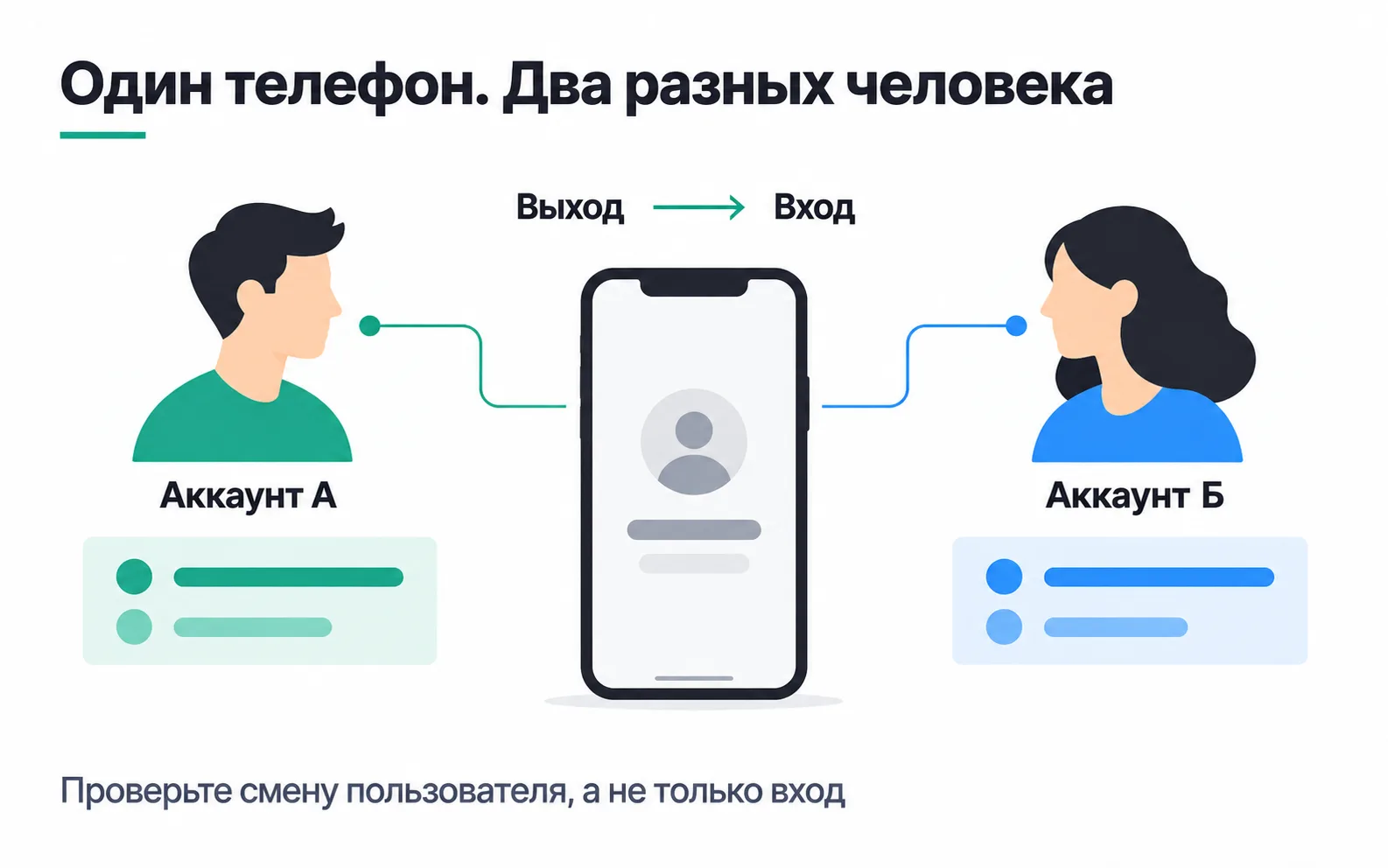
An online booking service for beauty salons in Almaty set up event analytics to measure activation and time to first value and to see where salons get stuck during setup. A week later the report shows something odd: Madina, a receptionist at the salon on Abay Avenue, took 60 bookings, and her shift partner Zhanna took none. Both use the same phone at the front desk, Madina in the morning and Zhanna in the evening. The app sent the user ID only at sign-up, and Madina had signed up on that very phone. The ID was not cleared at logout and did not change when Zhanna logged in, so everything Zhanna did went to Madina. The numbers in this lesson are made up.
Amplitude or Mixpanel: the short answer
Amplitude and Mixpanel record every action a person takes in a product as an event with properties and build funnels, retention and behavioral cohorts from those events. For a website where the main event is a submitted form, GA4 is enough, and these two tools come in when people work in the product under their own account, come back for weeks from different devices, and you care about their path inside the product.
Both collect events from the website, the app and the server, so for the booking service four things decide the choice: how many events a month there will be, how time to value is calculated, where the plan is stored and what counting by salon will cost. Here is what the documentation and pricing pages say as of October 2026:
| Amplitude | Mixpanel | |
|---|---|---|
| What you pay for | Events | Events |
| Free plan | 2 million events a month | Up to 1 million events a month |
| Free plan limits | 10 saved charts per organization, no custom behavioral cohorts, one year of data | 5 saved reports per user, cohorts cannot be saved |
| First paid plan | Plus: first 2 million events free, then by volume | Growth: first 1 million events free, then by volume |
| Default funnel window | 1 day in UTC | 7 days |
| Time to convert | Average, median, distribution | Average, median, percentiles |
| User properties in reports | Value at the time of the event | Latest profile value |
| Counting by salon | Accounts, a paid add-on (Growth and Enterprise on the pricing page) | Group Analytics, a paid add-on for Growth and Enterprise |
Prices and limits come from the Amplitude pricing page, the Mixpanel pricing page and the Mixpanel rules for counting events; funnel windows and time to convert come from the help pages on Amplitude funnels and Mixpanel funnels.
Neither tool will fix the mistake from Madina and Zhanna's story: it sits in how the app sends data, and the fix is the same in both.
An event plan for the booking service
The plan starts with questions about a salon's path to payment and ends with a list of events that answer them:
| Event | When it is sent | Properties |
|---|---|---|
salon_signed_up | The server created the salon account | city |
master_added | A stylist was saved | masters_total |
service_added | A service was saved | services_total |
schedule_saved | A stylist's schedule was saved | masters_with_schedule |
online_booking_enabled | The salon turned on online booking | days_since_signup |
booking_created | A booking was saved in the calendar | source = online or admin |
subscription_paid | The bank confirmed the monthly payment | revenue = 12000, currency = KZT |
Every event also carries salon_id and plan. An event is sent when the server has confirmed the action, not when someone tapped a button: booking_created goes out once the booking is saved, not when a client tapped "Book" and maybe closed the page on the next step. Names use the same format as the grocery app's event plan: lowercase Latin letters and underscores, one name on the website and in the app. The payment amount is called revenue and the currency currency: those are the fields Amplitude uses to show the payment in the Revenue LTV report (tracking revenue in Amplitude).
The aha moment does not need its own event, but a people-based funnel cannot see the first online booking: a client makes it, not the salon owner. A salon-based funnel in Accounts or Group Analytics will find it, and so will the database. Without the add-on you can agree in advance that the server sends online bookings as booking_created with the salon owner's ID. Then per-person reports, such as who took how many bookings, filter these events out by source = online, or every online booking lands on the owner.
The sign-up channel does not need to go into the plan either: on the website both SDKs read UTM tags on their own. Amplitude stores the first tags in the user properties initial_utm_source, initial_utm_campaign and the rest (tags in Browser SDK 2), and Mixpanel adds the tags to the events from that page and writes the first ones to the profile of a logged-in person (tags in the Mixpanel JavaScript SDK). The channel funnel is built with a breakdown by initial_utm_source, so the links in your ads are tagged following the shared UTM scheme.
Event, user and salon properties
There are three kinds of properties. An event property describes a single action: source on a booking. A user property describes the person: their role, owner, admin or master. A salon property describes the whole account: the plan, the city, the number of stylists.
The plan changes: a salon spends two weeks on a trial and then pays. Here the tools behave differently. Amplitude writes the user property values into each event as they were at the moment of that event and does not change them retroactively (user and event properties in Amplitude). Mixpanel joins events to the latest state of the profile, and for anything that changes over time, such as the plan, it recommends sending the value as an event property (user profiles in Mixpanel). If the plan lives only in the Mixpanel profile, every booking of a salon that later paid shows up in the report as paid, including the ones made during the trial.
So plan goes into the properties of every event. Then both tools give the same answer to "how many online bookings do salons get during the trial?"
Count salons, not people
The salon pays, and the salon gets activated. By default both tools count people, and in a standard funnel one person has to complete every step (account-level reporting in Amplitude). If the owner signed the salon up and a receptionist added the stylists and turned on booking, a people-based funnel never shows this salon reaching activation.
Counting by salon comes with paid add-ons: Accounts in Amplitude and Group Analytics in Mixpanel. The pricing pages list them for Growth and Enterprise, and Amplitude sets the terms through its sales team. With them a salon counts as having reached a step even if different employees did the steps.
Neither tool turns groups on retroactively. In Mixpanel the group key is created in the project settings before the data starts flowing (group setup in Mixpanel), and in Amplitude changes to groups apply only to new events. Until you buy the add-on, send salon_id with every event anyway: you can filter and break down reports by it on any plan, and the service's database will give you the share of activated salons.
Login and logout: how not to merge two receptionists
Both tools tell a device apart from a person. Until someone logs in, their events carry a device ID the SDK creates on its own. After login the app passes the user ID, and the tool links the anonymous events to that person. Amplitude maps both IDs to its own internal Amplitude ID (how Amplitude counts unique users), and Mixpanel links the pair $device_id and $user_id. The rules below are for Simplified ID Merge mode (identifying users in Mixpanel), and you can see a project's mode in its settings.
Four rules that protect you from the Madina and Zhanna story:
- The user ID is an internal number from your database, not a phone number or an email. Neither Amplitude nor Mixpanel can merge two user IDs. If the ID is built on a phone number and a receptionist changes her number, a new person appears in the reports. On top of that, by default Amplitude strips IDs shorter than 5 characters from events and rejects values such as
null,none,0and-1(ID requirements in the Amplitude HTTP API). If the number in your database is shorter than five characters, add a prefix (u_04821) or passmin_id_lengthin the HTTP API request. - The ID is passed at every login and at app start if the person is already logged in. Mixpanel names both moments in its recommendations and asks you to send at least one event afterwards, otherwise the link is not created. Passing the ID only at sign-up is exactly the mistake this lesson started with.
- The ID is reset at logout. Amplitude recommends clearing the user ID and generating a new device ID, and in Browser SDK 2 a single
reset()call does both (Browser SDK 2). Without that, Amplitude assumes anonymous events after logout came from the last person who logged in on that device. In Mixpanelreset()clears the stored IDs and creates a new$device_id, and Mixpanel recommends calling it at logout and when a session times out. - Do not invent a user ID for people who have not logged in. An anonymous person already has a device ID, and an invented ID will never link up with the real one later.
One more Mixpanel detail: the link between a device and a person reaches every report within 24 hours. In a funnel across login built on the same day, some people look like they dropped off even though they converted. Funnels around sign-up are read the next day.
Four scenarios before launch
Before showing any reports to the team, the developer and the analyst run four scenarios on test accounts and look at each person's event stream: in Amplitude that is the User Activity page, in Mixpanel the Activity Feed under Users.
| Scenario | What should happen |
|---|---|
| The owner browsed the website and signed the salon up | Actions before and after sign-up are in one person's stream |
| A receptionist logged in on a laptop, then on a phone | One person, not two |
| Madina logged out, Zhanna logged in on the same phone | Zhanna's bookings are in Zhanna's stream |
| Someone logged out and kept going without logging in | A new anonymous person, not Madina |
Add an app restart for a logged-in person and a session timeout. If events arrive without a user ID after a restart, the app is not passing it at start.
How to choose for your product
The plan is already settled: plan sits in every event. For the booking service, the rest comes down to calculations.
Volume. The service has 1,200 active salons. If a salon takes about 300 bookings a month, that is 360,000 booking_created events, and with setup and payments under 400,000. Both free plans can handle that. What breaks the estimate is autocapture. Amplitude Browser SDK 2 by default sends page views, session start and end, form interactions and other events on its own, and Mixpanel with autocapture on collects page views, clicks, field input, scrolling, form submissions and other actions by default. Every one of those events counts. If each salon opens the service's pages in a browser about a hundred times a day, that adds 3.6 million page views a month, more than either free limit. On the Mixpanel free plan, reports are locked after a million events until the next month or until you upgrade. Before launch, turn off autocapture for anything you do not plan to look at.
Time to value. The service counts activation over 7 days after sign-up. Mixpanel's funnel window is already that long, while Amplitude defaults to one day, and salons that turned on booking on days two to seven will show up as drop-offs until someone changes the window. Both tools calculate time to convert only for those who converted, so write the share who converted next to it.
Salons. While there are 200 new salons a month, it is easier to count their activation in the database and buy the add-on once you need salon-level funnels inside the tool itself. Both companies run startup programs with a free first year: Amplitude gives the Growth plan to companies with fewer than 20 employees and less than $10 million in funding, and Mixpanel to companies under five years old with up to $8 million in funding.
If you still cannot decide, send the same event plan to both tools for two weeks with autocapture off: at this volume both are free. Then build three people-based reports in each: the setup funnel, weekly retention and sign-ups by channel. Check the numbers against the database and keep the tool where the team got answers faster and where the numbers matched.
Exercise: Zhanna's bookings under Madina
Take a product with account login that you work on, or the booking service from this lesson.
Now a question you will get asked. The founder looks at the report and writes: "Zhanna has zero bookings this week. Is she even working?" What do you reply, and what do you ask the developer for?
Zhanna is working: her bookings went out with Madina's ID, because the app passes the user ID only at sign-up and does not reset it at logout. Ask the developer to pass the ID at every login and at app start with a saved login, to call reset() at logout, and then to run the four scenarios again. The fix applies to new events. Bookings per receptionist for the past weeks are better counted in the service's database, where every booking has an author, and the "who took how many bookings" report should go to the founder only after the fix.
Video: getting to know Amplitude
Day one of an Adventum intensive: the Amplitude interface and conversion reports.