At the weekly meeting of a grocery delivery service, the marketer proposes moving budget to TikTok: an install costs 300 ₸ there against 500 ₸ on average across networks. The product manager answers with a number from the same AppsFlyer account: of the 3,000 people who installed the app from TikTok in September, 150 placed a first order within a week, one in twenty. The argument is really about the other 2,850, and only the events between the install and the order can settle it. The app and the numbers are the same as in the lesson on MMPs in practice, and they are illustrative.
CPI is the price of an install, not of a customer
CPI tells you what an install cost and nothing more. Someone may have opened the app and closed it straight away, found out that the service doesn't deliver to their city, or got as far as the cart and changed their mind. So you tie the install to what the person did next: did they finish signing up, did they order, did they come back for a second order. Those steps are in-app events. AppsFlyer credits each of them to the network that brought the install and keeps that link while the person uses the app, up to 180 days for users from Meta (AppsFlyer in-app events overview, Meta discrepancies).
AppsFlyer recommends starting with three to five such events that tell you how good your users are, and a grocery delivery app can manage with four.
The event plan: from sign-up to the second order
The first order, first_purchase, and the repeat order, purchase, were set up following the MMP lesson. The same August SDK release added what happens before the first order and a way to count people who come back.
Activation. Signing up in the app means a phone number, a code from an SMS and a delivery address. The service only delivers in Almaty and Astana, and with an address outside the zone the sign-up doesn't complete: the app says so and sends a different event, address_out_of_zone. That makes a completed sign-up, sign_up, the activation point: after it, the person can order.
Repeat order. purchase only fires on the second and later orders, so every unique user with a purchase is a customer who came back. AppsFlyer measures retention by sessions, as the share of people who opened the app on a given day (My Dashboards metrics). But opening a delivery app to look at prices isn't ordering, so here retention is measured by repeat orders.
| Event | When it is sent | Parameters | Where it goes |
|---|---|---|---|
view_item, add_to_cart, begin_checkout | Steps towards an order, as in the funnel from the lesson on app analytics | Product and amount | Firebase |
sign_up | The server created the account: number confirmed, address inside the delivery zone | method = phone | Firebase and AppsFlyer |
address_out_of_zone | The server replied that it doesn't deliver to this address | city | Firebase and AppsFlyer |
first_purchase | The customer's first paid order | Amount, currency, order number | Firebase and AppsFlyer |
purchase | The second and every later paid order | Amount, currency, order number | Firebase and AppsFlyer |
Firebase gets everything; AppsFlyer gets only what the networks and the source report need. AppsFlyer shows event parameters only in raw data, which is a paid feature, so the city values are read in Firebase. The number of people with an out-of-zone address per network, on the other hand, appears in the ordinary dashboard, because address_out_of_zone is a separate event. Hence the rule: whatever you need to see by network becomes an event, and the details go into parameters.
An event is a fact, not a tap
sign_up is sent when the server replies that the account exists, not when someone taps "Continue" on the address screen. You can tap it with an address in Shymkent, and then your activated users include people the service will never deliver to. Purchases work the same way: first_purchase and purchase go out when the card payment is confirmed or the courier closes the order, not when someone taps "Place order". The app can't see a payment to the courier, so those orders are sent by the server, as in SDK integration.
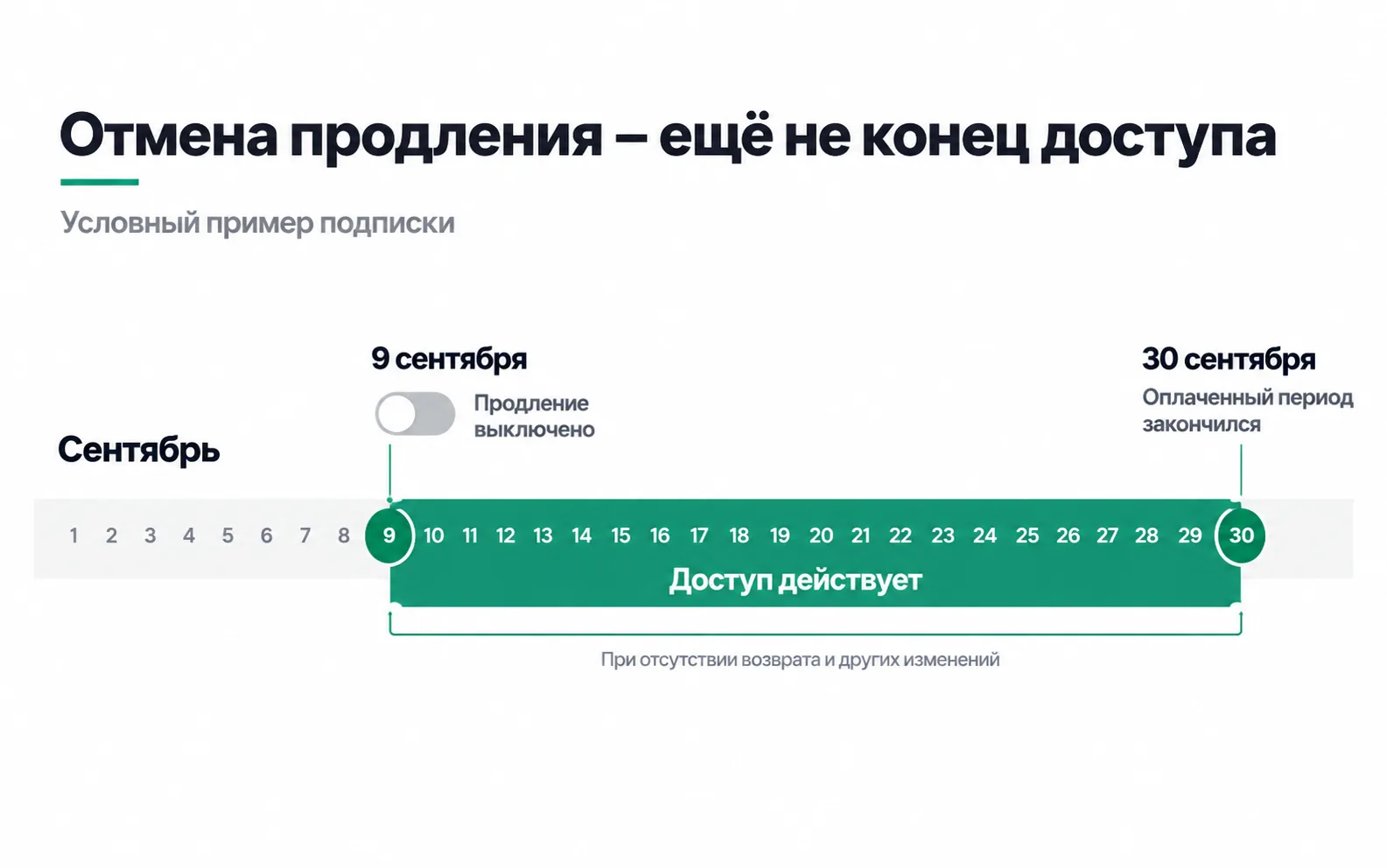
The picture shows the same line between intent and fact on a subscription: renewal is switched off on 9 September, while access lasts until the 30th.
How to name events
An event name lives in the code of two apps, in Firebase, in AppsFlyer and in the settings of every network, and renaming it is expensive: old app versions keep sending the old name for months.
- The recommended name when the meaning matches. GA4 builds reports and audiences around its recommended events (recommended events), so
sign_up,view_item,add_to_cartandbegin_checkoutcome from there. - Your own name when there is no recommended one.
first_purchaseandaddress_out_of_zoneare custom. AppsFlyer suggests using its built-in names such asaf_purchasewhere possible, because they are easier to map to network events. The service took its names from Firebase instead, so it maps them by hand. - Format. GA4 allows letters, digits and underscores, starting with a letter, with no spaces (GA4 naming rules). On top of that, agree to write in lowercase Latin: both GA4 and AppsFlyer are case-sensitive, so
Sign_upandsign_upare two different events to them. Up to 40 characters: that's the GA4 limit (collection limits), and the same length Meta accepts in events from AppsFlyer (Meta integration). - One name on iOS and Android. AppsFlyer recommends the same event names and structure on every platform.
- No personal data. No phone, name or address in the parameters;
cityis enough. AppsFlyer explicitly asks you not to put anything into events that identifies a person.
The custom name first_purchase has a cost: GA4's ecommerce reports count only purchase as a purchase (ecommerce metrics), so first orders won't appear in them. Their revenue is taken from AppsFlyer and the order system.
Where TikTok users drop off
Here is the September cohort one week after install. Installs, spend and first orders come from the MMP lesson; sign-ups are unique users of sign_up at D7 in the same My Dashboards report.
| Network | Installs | CPI | Sign-ups | Spend per sign-up | First orders, D7 | Spend per first order |
|---|---|---|---|---|---|---|
| Meta | 4,000 | 500 ₸ | 1,600 | 1,250 ₸ | 400 | 5,000 ₸ |
| TikTok | 3,000 | 300 ₸ | 600 | 1,500 ₸ | 150 | 6,000 ₸ |
| Google App campaigns | 2,000 | 600 ₸ | 1,000 | 1,200 ₸ | 300 | 4,000 ₸ |
| Apple Ads | 1,000 | 900 ₸ | 500 | 1,800 ₸ | 150 | 6,000 ₸ |
| Total | 10,000 | 500 ₸ | 3,700 | 1,351 ₸ | 1,000 | 5,000 ₸ |
On TikTok one installer in five finished signing up, on Meta 40%, on Google and Apple Ads one in two. After that the gap is much smaller: of those who signed up, 25% placed a first order on TikTok and Meta, and 30% on Google and Apple Ads. So TikTok loses people mostly before sign-up. And per sign-up it is no longer the cheapest: 1,500 ₸ against 1,200-1,250 ₸ on Google and Meta.
address_out_of_zone explains part of it. An address the service doesn't deliver to was entered by 1,200 people from TikTok, 300 from Meta, 60 from Google and 40 from Apple Ads. That means 40% of TikTok installers gave an address where there is no delivery, and they couldn't have ordered whatever happened. Why only 600 of the remaining 1,800 signed up, four events in the MMP can't tell you. A screen-by-screen funnel with the install source will, and the lesson on mobile app analytics describes two ways to get the source into product analytics.
That gives TikTok two steps: narrow the campaign's locations to Almaty and Astana if they cover all of Kazakhstan, and change the event the campaign learns from.
Which event to give each network
In September the TikTok campaign was optimised for installs. The algorithm looked for people who would install the app and didn't care whether they could get deliveries: a network learns from the event you give it.
You choose the event by how close it is to money and by whether the network will get enough of them to learn:
- Meta gives an ad set the Learning limited status when it is unlikely to get about 50 optimisation events in the week after the last significant edit, and suggests combining ad sets or picking a more frequent event (Learning limited).
- TikTok says volatility usually starts to settle after about 25 results or 7 days of learning (TikTok learning phase).
For the September numbers this means:
| Network | Optimisation event | Why |
|---|---|---|
| Meta | first_purchase, mapped to Purchase | 400 first orders a month, about 90 a week. Enough for one ad set, while three ad sets would get about 30 each, below the threshold |
| TikTok | sign_up, mapped to Registration | About 35 first orders a week, and if the budget is split between the old and the new ad group, the new one gets about 17, below 25. About 140 sign-ups a week, about 70 for the new ad group, all with an address inside the delivery zone |
| Google App campaigns | first_purchase | On a Target CPA strategy, Google recommends a budget of at least 10 times the target. At 4,000 ₸ that is 40,000 ₸ a day or more, exactly September's 1,200,000 ₸ a month |
| Apple Ads | Nothing | The Apple Ads integration in AppsFlyer doesn't support postbacks (Apple Ads setup) |
TikTok uses custom events for reporting only (TikTok integration in AppsFlyer), so sign_up is mapped to the standard Registration event, which supports optimisation (TikTok app events). TikTok also gets first_purchase, as Purchase, and once there are enough orders to learn from, the campaign moves over to them. The old ad group stays on installs, also limited to Almaty and Astana, and the new sign_up ad group runs next to it, so that a month later there is something to compare.
In Google, the campaign keeps one action, first_purchase, and isn't edited until the first 100 conversions are in (Google's recommendations). The action comes from one source, Firebase or AppsFlyer, otherwise one order lands in two actions. For bidding on order value the source matters: Target ROAS requires the Google Analytics for Firebase SDK (bidding in app campaigns), and revenue events from AppsFlyer aren't eligible for it (Google Ads integration).
Repeat orders, purchase with the amount, go to Meta and TikTok as a separate event, not mapped to Purchase: otherwise the network adds them to first orders and starts learning from regular customers. AppsFlyer can send events to both networks under their own name, without mapping (Meta, TikTok). On iPhones without tracking consent, the network sees some orders only through SKAN.
Repeat orders by source
By the end of October the September cohort is 30 days old. In the same My Dashboards report, change the period to D30 and add unique users of purchase.
| Network | First orders, D30 | Spend per first order | Ordered again, D30 | Share who ordered again |
|---|---|---|---|---|
| Meta | 460 | 4,348 ₸ | 170 | 37% |
| TikTok | 190 | 4,737 ₸ | 60 | 32% |
| Google App campaigns | 350 | 3,429 ₸ | 140 | 40% |
| Apple Ads | 170 | 5,294 ₸ | 70 | 41% |
| Total | 1,170 | 4,274 ₸ | 440 | 38% |
The question left open in the MMP lesson gets a two-part answer. People from TikTok do order later: a fifth of its first orders came after the first week, against 12-14% for the other networks, and the cost per first order fell from 6,000 to 4,737 ₸. But even at D30 it is higher than on Google and Meta. 32% of TikTok customers ordered again, against 37-41% elsewhere. With 190 customers, a gap like that is borderline chance (p around 0.06 against the other networks combined), so "they come back less often" can't be concluded yet.
For the budget decision, the picture is this: TikTok loses people before sign-up, and among those who got to an order there is no visible difference from the other networks yet. Cutting TikTok over a weak first week would be a mistake, and so would moving budget there because installs are cheap. You fix the locations and the optimisation event, then look at the next cohort. Repeat orders are what matters here: by the calculation in the lesson on mobile-first, acquisition only pays off on a customer's fifth order, LTV for cohorts like these is worked out as in cohort analysis, and bringing back those who never ordered a second time is the subject of the lesson on push and retention.
Exercise: an event plan for your own app
Take an app you work with, or the delivery service from this lesson.
Now a situation. The team didn't keep two ad groups and in October moved the whole TikTok budget to the new one: Almaty and Astana only, optimised for sign_up. A month later it has 2,000 installs for the same 900,000 ₸, 800 sign-ups and 200 first orders in the first week after install (D7). The marketer writes: "CPI went up from 300 to 450 ₸, the new setup is worse than the old one". What do you reply?
Installs got more expensive, and everything after them got cheaper. A sign-up costs 1,125 ₸ instead of 1,500 ₸, a first order within a week 4,500 ₸ instead of 6,000 ₸. Judging the ad group by CPI is the same mistake the lesson started with, only the other way round: cheap installs didn't bring good customers, and expensive ones won't necessarily bring bad ones. Whether things got better will show in the spend per first order at D30, and after that in the share of repeat orders.
It's also too early to credit the change of event. In October the locations and the optimisation event changed at the same time, and October demand may have been different, so a single month won't separate the two changes. The two ad groups on the same locations were meant for exactly this: they are compared over the same weeks.
Video: app data collection in Google Analytics
An Analytics Academy lesson, in English, on setting up app data collection in Google Analytics.