Two questions come up at the weekly meeting of a grocery delivery service in Almaty and Astana. The marketer wants to know which network brings in buyers. The product manager asks why, out of 10,000 installs from ads this month, only a thousand got as far as a first order. The MMP answers the first question and product analytics the second, and the confusion starts when people look for the answer in the wrong tool. The app and the numbers are the same as in the lesson on MMP in practice, and they are made up.
Two tools, two questions
The MMP, meaning AppsFlyer or Adjust, answers "where from": which network gets credit for the install, what a first order from each one cost, and which events to send to the networks so their algorithms can learn. Product analytics (Firebase with GA4, Amplitude or Mixpanel) answers "what next": which screens the person opened, where they abandoned the cart, whether they came back a week later.
| Question | Where to find the answer |
|---|---|
| Which network brought the install and the first order? | The MMP: AppsFlyer or Adjust |
| What does a first order cost from each network? | The MMP plus spend from the ad accounts |
| At which step do people abandon the cart? | Firebase and GA4, or Amplitude |
| Do people who use search order more often? | Amplitude, Mixpanel or GA4 |
| Was the order paid, and was the money refunded? | The order system |
Firebase sees what happens inside the app very well, but it can't settle a dispute between Meta and TikTok over the same install: those networks report their claims to measurement partners, not to Firebase. When Firebase alone is enough for advertising, for example when all your ads run through Google, is covered in the article on AppsFlyer, Adjust and Firebase.
That gives you a rule for the event plan. The MMP gets what the ad networks and the source report need: the first order, first_purchase, repeat orders, purchase, and the sign-up, sign_up. Every screen and every tap goes to product analytics. The networks need orders and sign-ups to learn from, and screens in the MMP only clutter the event list you have to map in every integration.
What Firebase and GA4 see
In an app, GA4 works through Firebase. When you add an iOS or Android stream to a GA4 property, GA4 creates a Firebase project if there isn't one yet, and the developer builds the Google Analytics for Firebase SDK into the app (app data stream). The SDK collects some events by itself (automatically collected events):
first_open- the first launch after an install or a reinstall;screen_view- a move between screens;session_start- the start of a session;app_remove- the app being uninstalled, Android only.
The purchase steps are sent by the developer as recommended ecommerce events: view_item (opened a product card), add_to_cart, begin_checkout and purchase (ecommerce events in Firebase). This is an easy place to slip: the automatic in_app_purchase event only counts purchases processed by the App Store or Google Play. Groceries are paid by card in the app or to the courier on delivery; neither kind of payment goes through the app store, and without an event of your own the orders won't be in the report.
The last step of the funnel is the same first_purchase that goes to AppsFlyer: the app sends it to Firebase as well. But the app only knows about card payments. An order paid to the courier is closed on the server, and it reaches Firebase only if the server sends it through the Measurement Protocol; otherwise those orders are added from the order system. The funnel for the delivery app:
| Step | Event | Out of 100 people opening the app for the first time |
|---|---|---|
| First launch | first_open | 100 |
| Opened a product card | view_item | 60 |
| Added a product to the cart | add_to_cart | 25 |
| Started checkout | begin_checkout | 14 |
| Placed a first order | first_purchase | 10 |
The weakest step is from the product card to the cart: of the 60 who opened a card, 25 add something to the cart, which is 42%. The funnel won't tell you why. Next you slice it by city, product category and app version: if drop-off in Astana is noticeably higher, for example, look for product cards there showing items that are out of stock. Funnel and drop-off analysis shows how to read funnels like this, and event analytics covers Amplitude and Mixpanel.
Why installs in Firebase and the MMP don't match
For September Firebase has 11,200 first_open events and AppsFlyer has 10,000 installs from ads. There may be no error here at all, because they count different things.
- The MMP counts the first launch as the install, not the download (AppsFlyer, Adjust), so in meaning it is the same as
first_open. But Firebase also recordsfirst_openafter a reinstall, while AppsFlyer doesn't count a reinstall within the re-attribution window as a new install. - The 10,000 are the installs AppsFlyer credited to the four networks. It shows organic installs on a separate line, whereas
first_openalready includes them. - If the SDKs start at different moments, or one of them waits for consent, one system will see some first launches that the other misses.
Compare like with like: all AppsFlyer installs, organic and reinstalls included, against first_open, for the same days and in the same time zone. If the gap is still large, look for where an SDK starts late or doesn't start at all.
How to tie the source to behaviour
According to the table in the lesson on MMPs, 15% of people installing from Google place a first order, against 5% from TikTok. Where do the TikTok users drop off: at the product card or at checkout? Neither tool can tell you on its own. The MMP doesn't see the steps inside the app, and Firebase doesn't know which network got credit for the install.
There are two ways to join them.
- Send attribution into product analytics. AppsFlyer has a ready-made integration with Amplitude: it sends install data, and Amplitude matches it to users by device ID (integration in the Amplitude docs). After that you can split the funnel by source. Some installs may arrive without the network and campaign names, as Amplitude warns.
- Join the raw data in BigQuery. The app passes the same customer ID to AppsFlyer as the Customer User ID (basic SDK integration) and to Firebase as the user ID. Firebase exports events to BigQuery (BigQuery export), the AppsFlyer raw data is loaded next to it, and the two are joined on the customer ID. Use an internal ID: Firebase forbids putting anything that identifies a person, such as an email address, into the user ID (user ID in Firebase).
The first way is quicker; the second gives you more freedom and works when you need to add payments from the order system to the events.
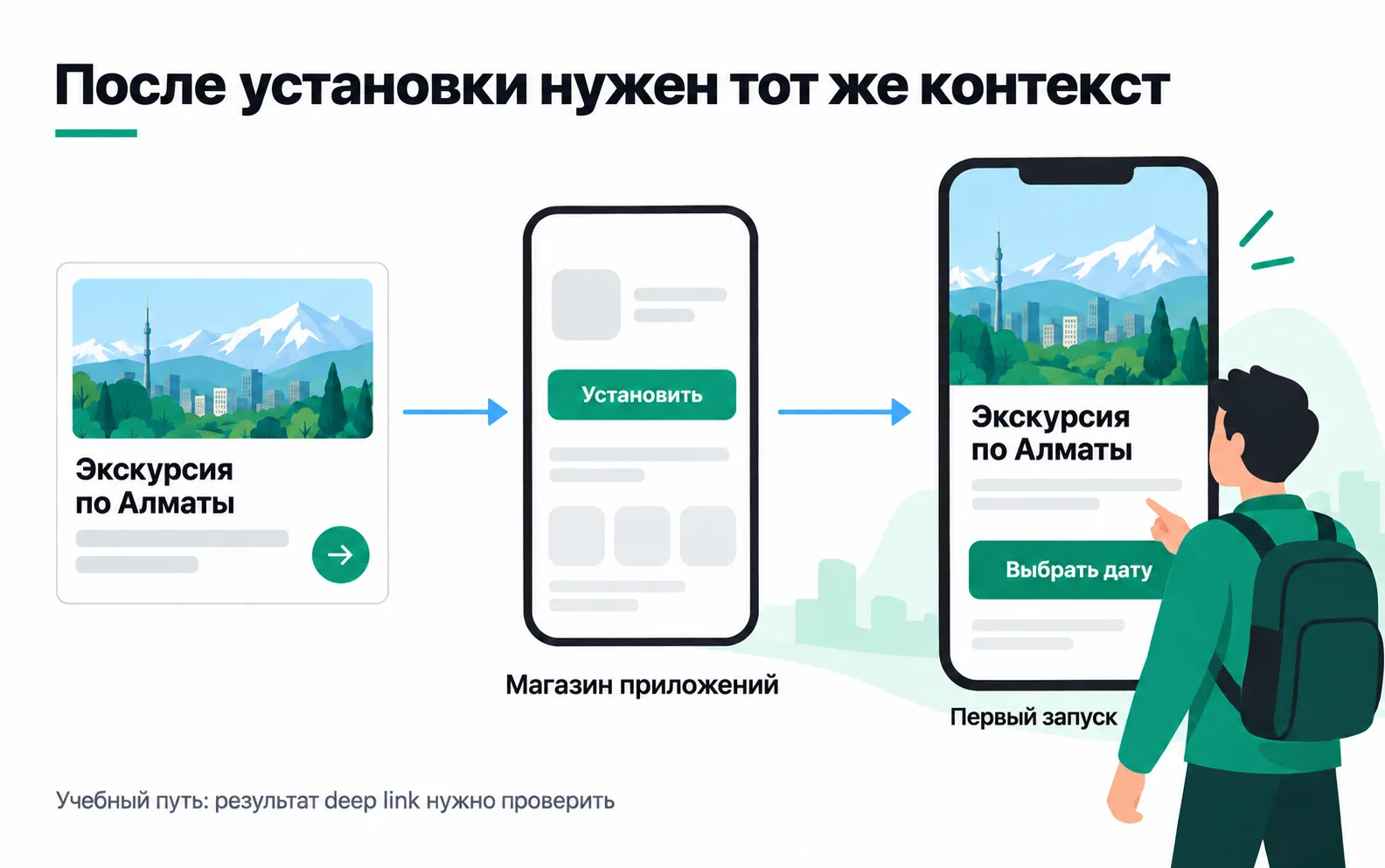
Did the product card from the ad open
The delivery app's ad shows a product, and after the install the person should see that same card, not the home screen. The picture shows the same path for a tours app. A deferred deep link handles this hand-off, and once again the questions split between the tools.
The app learns which product to open from the MMP. If the link is an AppsFlyer OneLink, the response for a new user contains only deep link parameters such as deep_link_value, while media_source and campaign come back empty (Unified Deep Linking for Android). So the campaign comes from the attribution report, not from the deep link response. Whether the card actually opened is shown by product analytics: the first session should contain a view_item for that same product. Setting up and testing deep links is the subject of the lesson on deep linking.
Exercise: a question map for your own app
Take an app you work with, or the delivery app from this lesson.
Now a situation you will meet on a project. The product manager writes: "Firebase has 11,200 first launches and AppsFlyer has 10,000 installs. Which system is lying? And let's send every screen to AppsFlyer so we can see the funnel by network."
Neither is lying. The 10,000 are only the installs AppsFlyer credited to ads, while the 11,200 include organic installs and reinstalls. The right comparison is the total number of AppsFlyer installs against first_open for the same days and in the same time zone. There's no reason to send screens to AppsFlyer: you get the funnel by network by passing attribution from AppsFlyer to Amplitude or by joining the data in BigQuery, and the MMP keeps only the events the ads need.
Video: what AppsFlyer does
A short overview of what AppsFlyer does with an app's ad spend.