The online analytics school from the lesson on reconciling events with the CRM moved generate_lead from the button click to the server response, then put a cookie banner on its site and turned on consent mode in its basic form. Ads for the 25,000 ₸ course are now also shown to Russian speakers in Germany and Poland (the situation and the numbers in this lesson are an example). In the first week with the banner, the CRM has 34 leads tagged paid_social, and GA4 has 28 generate_lead events from the same ads. The owner wants to know where the six leads went and what "setting up consent mode v2", which a marketer friend told him about, actually means.
What consent mode is
The cookie banner asks visitors what they agree to, and the service that shows the banner and stores the answer is called a CMP (consent management platform). Google's consent mode passes that answer on to Google tags, and they change their behaviour: they set cookies or don't, send data for advertising or don't. Consent mode doesn't draw a banner and doesn't decide whether you need one. The client decides that with their lawyer, and your job is to make the setup do exactly what was decided.
"v2" is the everyday name for the version with four parameters: Google added ad_user_data and ad_personalization to the two older ones. For visitors from the European Economic Area, Google requires you to pass on their choice if the site measures their behaviour with Google tags; otherwise measurement, ad personalisation and remarketing stop working for them (Google's requirements for EEA traffic). Google's EU user consent policy itself also covers the UK and Switzerland. The school shows ads in Germany and Poland, so this applies to it.
What each parameter blocks when the visitor declines (how consent mode works):
| Parameter | What it covers | What happens on denied |
|---|---|---|
ad_storage | Advertising cookies and identifiers | No new advertising cookies are written and existing ones are not read |
analytics_storage | Analytics cookies, for example for visit duration | GA4 neither reads nor writes its own cookies, such as _ga |
ad_user_data | Sending user data to Google for advertising | user_id and hashed contact details for enhanced conversions are not sent |
ad_personalization | Personalised advertising | The data does not reach remarketing in Google Ads, Display & Video 360 and Search Ads 360 |
The first two parameters are about storage in the browser; the two new ones are about what may be passed to Google and how it may be used. So consent to analytics does not open the door to enhanced conversions: a hashed email is governed by ad_user_data, and the email itself is prepared under the rules for hashing contact details.
Basic or advanced mode
Google describes two ways to implement it, and the difference is what leaves the browser before the visitor answers and after they decline.
In basic mode, Google tags don't load until the visitor has answered the banner. Nothing is sent to Google before that, not even the default state, and after a refusal no data is passed at all. In advanced mode, tags load straight away with a denied default, and while there is no consent they send measurements without cookies. Google uses these signals to model part of the lost conversions and behaviour; in advanced mode the model is built for each advertiser, in basic mode it is a general one. Modelling only kicks in once the property collects enough data (the two modes).
That gives the answer about the six leads. In basic mode, GA4 never learns about someone who declined analytics, even if they submitted the form. But two numbers won't tell you how many leads GA4 lost to refusals. Maybe six, maybe nine, if duplicate submissions and colleagues' tests still add events. GA4 also misses some people because of ad blockers. The CRM has the lead whatever the visitor chose in the banner, so the school keeps counting leads in the CRM in either mode.
Advanced mode may give GA4 back part of the picture, but only because cookieless signals from people who declined still go to Google. Whether that is acceptable for the school's audience is for its lawyer to decide, not the media buyer. Google itself advises choosing the implementation and the defaults according to your company's own guidelines (setup guide).
The default and the update
Consent mode rests on two commands. The first sets the default state and goes in the <head> before the GTM snippet; the second updates it when the visitor clicks a button in the banner:
Order matters: if the default runs after the tags, it won't work. wait_for_update gives a banner that loads asynchronously 500 ms to answer before the tags send data. If the visitor changes their mind a week later, the same update command switches the values back to denied. You can set the default per country with the region parameter and ISO 3166-2 codes: for example, the school sets denied for visitors from Germany and Poland, while the default for everyone else, Kazakhstan included, is the client's call.
In GTM you don't have to write code. For recommended CMPs, the Tag Manager public template gallery has templates integrated with the Consent API: such a tag passes the default and the banner answer to Google tags by itself. It goes on the Consent Initialization - All Pages trigger, which fires before every other trigger (consent mode in Tag Manager). If you write your own template, it needs the setDefaultConsentState and updateConsentState APIs rather than gtag (consent APIs for GTM templates).
Next, turn on the overview: Admin → Container Settings, and under Additional Settings select Enable consent overview. On the Tags page, the Consent Overview icon now shows each tag's consent settings. Google Ads, Google Analytics and Floodlight tags have built-in checks and adjust to the choice on their own. The Meta pixel, the TikTok tag and any custom HTML tag have no built-in checks: if you configure nothing, they fire for everyone. For them, go to Advanced Settings → Consent Settings, choose "Require additional consent for tag to fire" and use the "+ Add required consent" button to add a type, for example ad_storage. The tag then fires only if every listed type has been granted. The "No additional consent required" option means the tag needs nothing beyond its built-in checks: a Google tag still applies its own, while a tag without built-in checks fires for everyone.
How to check the setup
Google suggests checking consent in Tag Assistant (verify that consent mode works):
- Open Tag Assistant, enter the site's URL and accept all cookies in the banner in the tab that opens.
- In the Summary, select the earliest Consent event. The API Call section should list all four parameters with their default values. You can see the same in the tag's Output, on the Consent tab, in the On-page Default column.
- Select the latest Consent event: it should carry the updated values, with
grantedin the On-page Update column. - For a GTM container, open the Tags tab and go through the tags: each one should have fired or stayed silent as the consent requires.
- Repeat everything in a clean browser profile, this time declining everything. Tags with an additional consent check should not fire, and no
_gacookie should appear on the site. Thegcsparameter in requests to Google carries onlyad_storageandanalytics_storage. Check the choice forad_user_dataandad_personalizationin Tag Assistant: Google encodes it in thegcdparameter and warns that the format of these fields may change.
If the defaults differ by country, repeat the check with a simulated location in the browser. And don't forget the server: in a server container Google tags adjust to the choice by themselves, but Meta and TikTok tags don't, so they are tested separately with a refusal, as in the write-up on Consent Mode v2 and server-side GTM. The script that sends payments from the CRM knows nothing about the banner either: the choice is stored with the lead, as the lesson on server-side tracking explains.
Kazakhstan's law and cookies
Kazakhstan has the Law "On Personal Data and Their Protection" of 21 May 2013, No. 94-V (text on adilet.zan.kz). The word cookie does not appear in it. Below are the provisions that bear directly on a marketer. This is not a full overview or legal advice: the text was checked against the version with amendments as of 14 September 2026, and the law is amended often, so open the current version on adilet.zan.kz before you start.
- Data is collected and processed with the person's consent, except in the cases listed in paragraph 5 of Article 7 and in Article 9 (Article 7, paragraph 1).
- Consent is given in writing, through a state or non-state service, or in another way that makes it possible to confirm it was received (Article 8, paragraph 1). It can be withdrawn, and then within 15 working days processing stops, unless the law requires the data to be kept, or a reasoned refusal is given (same article, paragraph 7, subject to paragraph 2).
- The consent states, among other things, whether the data is passed to third parties and abroad, the list of data and the period (Article 8, paragraph 4), and proof that consent was obtained is provided by the owner or operator of the data (Article 25, paragraph 2, subparagraph 5).
- Data is collected for purposes defined in advance, without taking anything excessive (Article 7, paragraphs 8 and 9), and used only for the declared purposes (Article 14).
- Transfer to third parties requires consent, and so does transfer abroad, except in the cases listed in Article 16 (Article 7, paragraph 6).
- Personal data must be stored in a database or digital object located in Kazakhstan (Article 12, paragraph 2), so where the CRM and the server container sit is also a question for the lawyer.
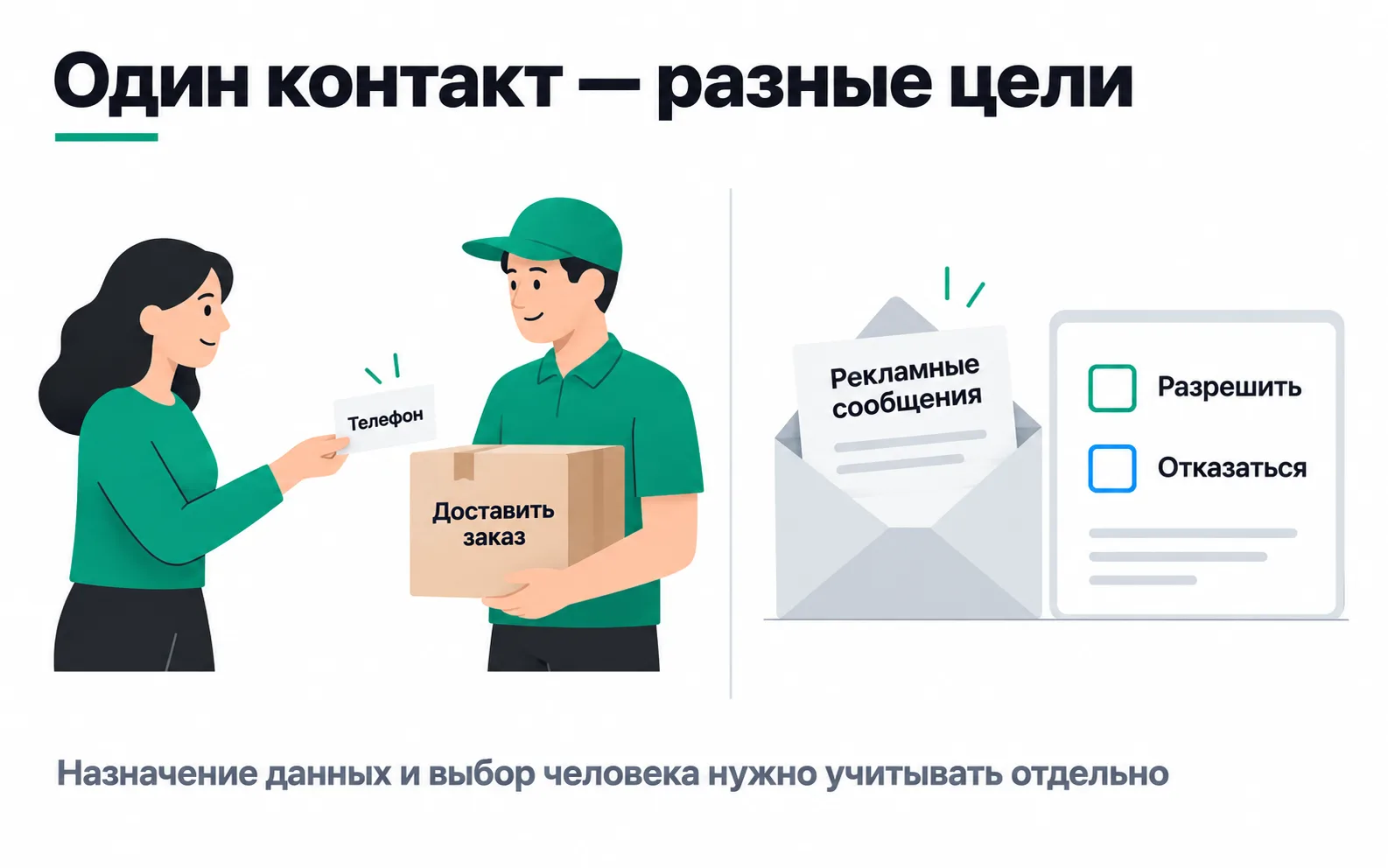
The picture at the top of the lesson shows exactly this: a phone number left so a manager can call back, or for a delivery, does not become consent to an advertising audience. Uploading it to Meta is a different purpose, and the data goes to another company, most likely abroad. The law sets its own conditions for each of these steps (Articles 14, 7 and 16), and the lawyer checks them.
Since 25 August 2026 the law also covers hashing: converting data into a fixed-length string for the purpose of protecting it (Article 1, subparagraph 18), and Article 23 names masking and hashing as methods of protecting personal data, with the procedure set by the authorised body. Anonymisation is defined separately: an irreversible transformation of identifiers after which it is impossible to establish whose data it is (Article 1, subparagraph 2-5). A hashed phone number that lets an ad platform find the person does not meet that definition: the platform is establishing exactly whose number it is. So it is safer to treat it as personal data. Hashing protects data, but it does not replace consent to pass it on.
The law gives no direct answer on whether a cookie identifier or an IP address counts as personal data, or whether a Kazakhstani site needs a banner. Since 2026 it has the concept of a personal data identifier: information that identifies a person or links scattered data about them (Article 1, subparagraph 14-1), and Article 6 lists the identifiers: full name, IIN (individual identification number), face image and a face biometric vector. Cookies and IP addresses are not on that list, and whether the general definition covers them is for the client's lawyer to decide. If the school offers its course to people in the EU or monitors their behaviour there, the GDPR may apply to it (Article 3, territorial scope), and that too is a question for the lawyer. Your part is to make the tags behave the way the lawyer decided, and to be able to show it.
Cookieless: what is really happening to cookies
Third-party cookies have not gone away in Chrome. In April 2025, Google decided to keep Chrome users' current choice in the privacy settings and not to show a separate prompt. In October 2025 it announced it was retiring part of Privacy Sandbox: Topics, Protected Audience, the Attribution Reporting API and several other technologies. Decks that promised these APIs as the replacement for cookies are out of date. Safari, meanwhile, has blocked third-party cookies by default since March 2020.
So in practice "cookieless" is not a shutdown date. It means visitors who can't be recognised by third-party cookies (Safari users, Chrome's Incognito mode, where they are blocked by default, and people who switched them off in the settings) or by any cookies at all (people who declined in the banner). For GA4, another Safari limit matters more: cookies a script writes through document.cookie last no longer than seven days (ITP 2.1). GA4 sets the _ga cookie with a script on the page, so someone who comes back in Safari two weeks later is a new user to GA4.
What the browser loses, the business's own data makes up for: UTM tags saved in the lead under the tagging scheme, leads and payments in the CRM, server events with hashed contact details. Consent has to apply to these too: the server send must respect a refusal, and it won't learn about it on its own.
Exercise: consent on your own site
Take your test site or a client's site with a banner.
Now the school owner's question: where did the six leads go? You could write back like this. The leads didn't disappear; all 34 are in the CRM. GA4 sees fewer because in basic mode it doesn't know about people who declined analytics, and ad blockers hide some visitors. How many leads were lost to refusals can't be told from two numbers: if duplicate submissions and tests still add events, the loss may be more than six. The school will count leads and CPL from the CRM, and GA4 is there to show where people came from. Whether to move to advanced mode is the lawyer's decision, and you will show what it would change in the data.
Video: Google Consent Mode
An introduction to the terms. The setting names and the behaviour of the modes in this lesson were checked against Google's documentation in October 2026.