The online coffee shop from the lesson on the Conversions API sends paid orders to Meta from its server. For order O42 at 15,000 ₸, user_data carries the hashes of the email aigerim@example.com and the phone number 77011234567 (the shop and the numbers in this lesson are an example). Now the owner wants to see the same purchases in Google Ads and TikTok, and the developer plugs the ready-made function from the Meta integration into the two new sends. The requests go through without errors. But Google and TikTok expect the phone number with a plus, +77011234567, and SHA-256 of the string without the plus is a completely different set of 64 characters. In those two systems the phone number will not match any account, and there will be no error message: a platform cannot tell from a hash whether you prepared the number correctly.
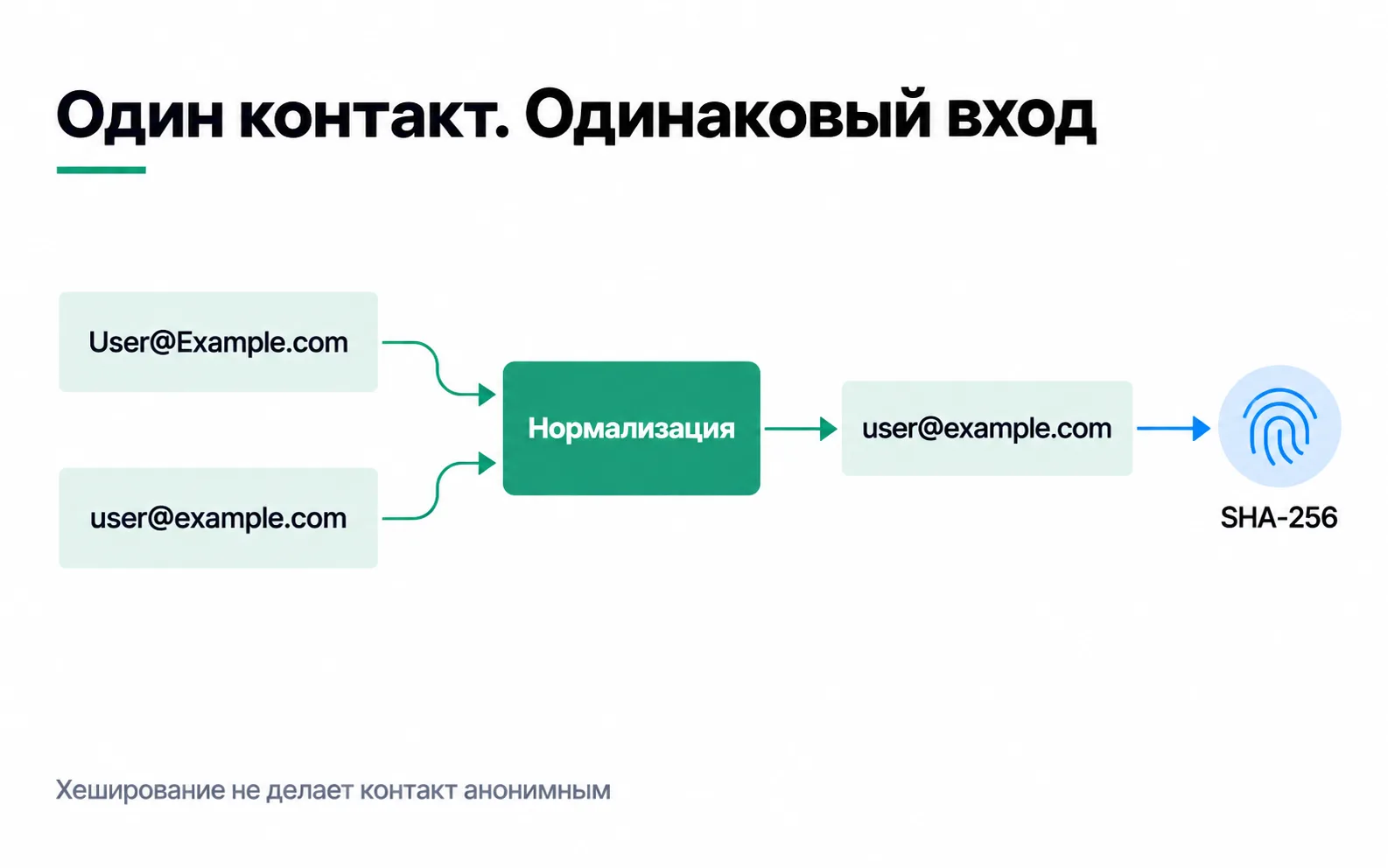
What SHA-256 does
SHA-256 turns any string into 256 bits, which is 64 characters in hexadecimal. The same string always gives the same hash, and a string that differs by even one character gives a completely different one. The algorithm is defined in the NIST FIPS 180-4 standard.
There is no key to "decrypt" a hash back. But anyone can hash a guess and compare. That is exactly what matching relies on: the platform hashes its own users' contact details the same way and looks for a match with your string. With phone numbers, guessing is even easier. There are no more than a billion Kazakhstani mobile numbers of the form +7 7XX XXX XX XX: a laptop will run through all of them in minutes, a graphics card in a fraction of a second.
So hashing is pseudonymisation, not anonymisation. The UK regulator, the ICO, says pseudonymised data remains personal data for whoever holds the additional information, and lists brute force and dictionary searches among the attacks (its guidance on pseudonymisation; the guidance is under review after the Data (Use and Access) Act). A hash that lets an ad platform find the person does not become anonymous. We found no guidance from Kazakhstan's regulator on hashes, and the law defines anonymisation as an irreversible transformation after which it is impossible to establish whose data it is (Article 1, subparagraph 2-5). So treat a hash as personal data, and decide with the client's lawyer whether you may pass it on, just as you would for the number itself (more in the lesson on privacy and consent mode).
Normalisation: one string per contact
See how the start of the hash changes over small details:
| Input string for SHA-256 | Start of the hash |
|---|---|
Aigerim@Example.com | 0cc7ad510621a3cb |
aigerim@example.com | 882a7adc5f92074a |
87011234567 | f88e23205f5ab683 |
77011234567 | 7c1dc35860507e0f |
+77011234567 | c87ea5d396b7f324 |
To a person this is one address and one phone number; to a platform it is five different people. That is why a contact is brought to a single form before hashing, following the rules of the platform it is going to.
On email, all three platforms agree: trim the spaces at both ends and convert every letter to lowercase. For gmail.com and googlemail.com addresses Google has a rule of its own: the Google tag help says to remove the dots in the name before the "@", and the Google Ads API documentation also removes the first "+" and everything after it up to the "@" (normalisation in the Google Ads API). This does not apply to other domains or other platforms.
Phone numbers are where the platforms differ. Meta wants digits only, with the country code and no plus: 77011234567. Google and TikTok expect E.164 format with a plus: +77011234567. The trap in Kazakhstan is the leading 8. If you strip everything except digits from 8 (701) 123-45-67, you get 87011234567: the leading 8 is a trunk prefix, not a country code, so this is now a different number. Replace the 8 with 7 only when you know the number is Kazakhstani, for example because the form has a "+7" mask or a country selector. Don't guess with foreign numbers. TikTok's documentation recommends the libphonenumber-js library for parsing numbers.
The three platforms' rules
| Meta | Google Ads | TikTok | |
|---|---|---|---|
| Trim spaces at both ends, lowercase | The same, plus the gmail.com and googlemail.com rule | Trim spaces at both ends, lowercase | |
| Phone | Digits with the country code: 77011234567 | E.164 with a plus: +77011234567 | E.164 with a plus: +77011234567 |
| Who hashes | You or your server template | The Google tag can do it itself; for API uploads, you do | You or your server template |
| Not hashed | fbp, fbc, IP, user agent | Country, state, city, postal code | ttclid, ttp, IP, user agent |
Sources: customer information parameters in the Conversions API, normalisation in the Google Ads API, setting up enhanced conversions for web with the Google tag, Events API parameters at TikTok. Note the address fields: Meta hashes the city and country, while Google asks for them in plain text.
The "Not hashed" row is easy to miss. fbp, fbc, ttclid, ttp, IP and user agent are not contact details but browser and click identifiers and request data, and the platforms compare them as they are. So you don't run the whole user_data through one SHA-256 function. The IP sent is the customer's, not your server's, and where to get it is described in the section on what to hash and what not to.
Here is what both variants look like for the customer behind order O42. You can run the code in Node.js and check your own function against it: for the same input strings, the hashes must match character for character.
Where to hash, and how many times
A contact passes through the form, the CRM, a script, the server container and a tag template. It must be hashed in exactly one place. If the CRM already stores a hash and the sGTM template hashes it again, a hash of a hash goes out, and it matches nothing. Before connecting a template, read its documentation: some expect the raw contact and hash it themselves, others expect a ready hash. The Google tag, for instance, accepts both.
A salt (random data added to the string before hashing) is what internal pseudonymisation needs: the ICO advises hashing with exactly that kind of addition. But sending a salted hash to an ad platform is pointless: the platform doesn't have your salt, so nothing will match.
Hashing does not replace consent: if ad_user_data is denied, the Google tag won't send hashed contact details (consent mode). Meta says it plainly: don't send events through the Conversions API for people who have not given consent (Meta's privacy requirements).
Contact details don't go to GA4
GA4 needs no contact details, raw or hashed. Google prohibits sending Analytics any data it could use to identify a person, and names email addresses and phone numbers among them. The ban covers the page URL with its parameters and the page titles too (Google Analytics rules on PII). This is how it leaks: after submission the form opens /thanks?email=..., a developer puts the phone number in a generate_lead parameter, or user_id equals the email. To prevent this, contact details stay out of the dataLayer events that analytics tags read their parameters from.
A hashed email in an event parameter does nothing for the reports. For enhanced conversions, contact details are passed to the Google tag separately, at the moment of conversion and only when ad_user_data is granted, and they are not put into GA4 event parameters. If the client wants Google to match GA4 users by their contact details, there is a separate feature for that, user-provided data collection, with its own rules that you accept in the property settings (about user-provided data collection).
Testing on sample values
Test with the values from the example above, not with real customers' contact details. And don't paste real emails and phone numbers into online hash calculators: the string goes to someone else's server.
- Meta: send an event with
test_event_codeand find it on the Test Events tab in Events Manager. - Google: in the Google tag's request on a conversion, find the
emparameter. Its value starts withtv.1~em, followed by a long string. If nothing followstv.1~em, the parameter is going out empty: there was no data on the page at the moment of the conversion (setting up enhanced conversions for web with the Google tag). - TikTok: send a test event and compare the hashes in the request body with your own log.
In production logs, keep event IDs and response codes. Raw contact details don't belong there: more people read logs than read the CRM.
Exercise: contact details in your own integration
On a test shop or with a client:
And a question that comes up with the very first export. In the shop's CRM, phone numbers are written in different ways: +7 701 123 45 67, 8 (701) 123-45-67 and 701 123 45 67. What do you hash for Meta, and what for Google?
If the shop delivers only within Kazakhstan and none of its customers has a foreign number, this is one number. For Meta it becomes 77011234567; for Google and TikTok, +77011234567. You replace the 8 with a 7, and add a 7 to the ten digits, because the country is known. If some customers are foreign and the number was typed into a free text field, it is better not to send that record at all than to send someone else's number. And the form should be fixed: a mask with a country code solves the problem before the number ever reaches the CRM.
Video: how hashing works
An explanation of hash functions, in Russian. Each platform's rules for preparing contact details are in the documentation linked from this lesson.