On Tuesday morning the owner of a phone repair shop sends a WhatsApp message: "Someone is clicking our ads to drain the budget. Google shows 100 clicks for the week, but the site had 70 visits. The hosting logs show one IP opened the page six times in one morning, that's the competitor from the mall next door. And last night four leads came in with phone numbers made of zeros. Block him." It is the same shop as in the lesson on the Google Ads search campaign: Almaty, 3,000 ₸ a day, search only. The figures in this lesson are invented. Before you block anything, take the message apart: which part is fraud, which part is how the numbers are counted, and what Google has already done on its own.
What Google counts as an invalid click
In Google's definition, an invalid click is one with no genuine interest in the ad behind it. That covers accidental clicks, the second click of a double tap, clicks from robots and click-inflation software, and manual clicks made to burn through someone else's budget. On its traffic quality page Google mentions competitors' clicks outright, while the list of schemes there is mostly about placements: hidden ads, trick buttons, ads stacked on top of each other. The shop has the Display Network and search partners switched off, so of that whole list it is exposed to bots and manual clicks.
Google filters these clicks out by itself and does not charge for them: they never reach the Clicks or Cost columns. The Invalid clicks column shows how many were filtered. Under Campaigns, click the Columns icon, search for "invalid" and apply. For that week the shop has 14 there. So on top of the 100 paid clicks there were 14 more that Google judged invalid and did not bill. A rising number means the filters caught more, and you pay nothing for what they caught.
In apps the schemes are different, and they are covered in the lesson on mobile ad fraud.
Credits: when Google finds fraud later
Some invalid traffic is only detected later, sometimes after the invoice has gone out. Google then issues a credit. It does not send money back to your card; it applies an adjustment to later invoices (how Google handles invalid traffic). You will find these under Billing → Summary, on the Adjustments card, labelled "Invalid activity".
A credit does not change last month's campaign statistics: Google freezes them at the end of the month so they match the invoice. Figures adjusted for credits are in the Invalid Activity Credit Report: Campaigns → Report editor → Template gallery. It shows the credit amount, adjusted clicks and adjusted cost per conversion. The report only covers Search and Performance Max campaigns, which is enough for the shop.
100 clicks and 70 sessions: where did 30 go
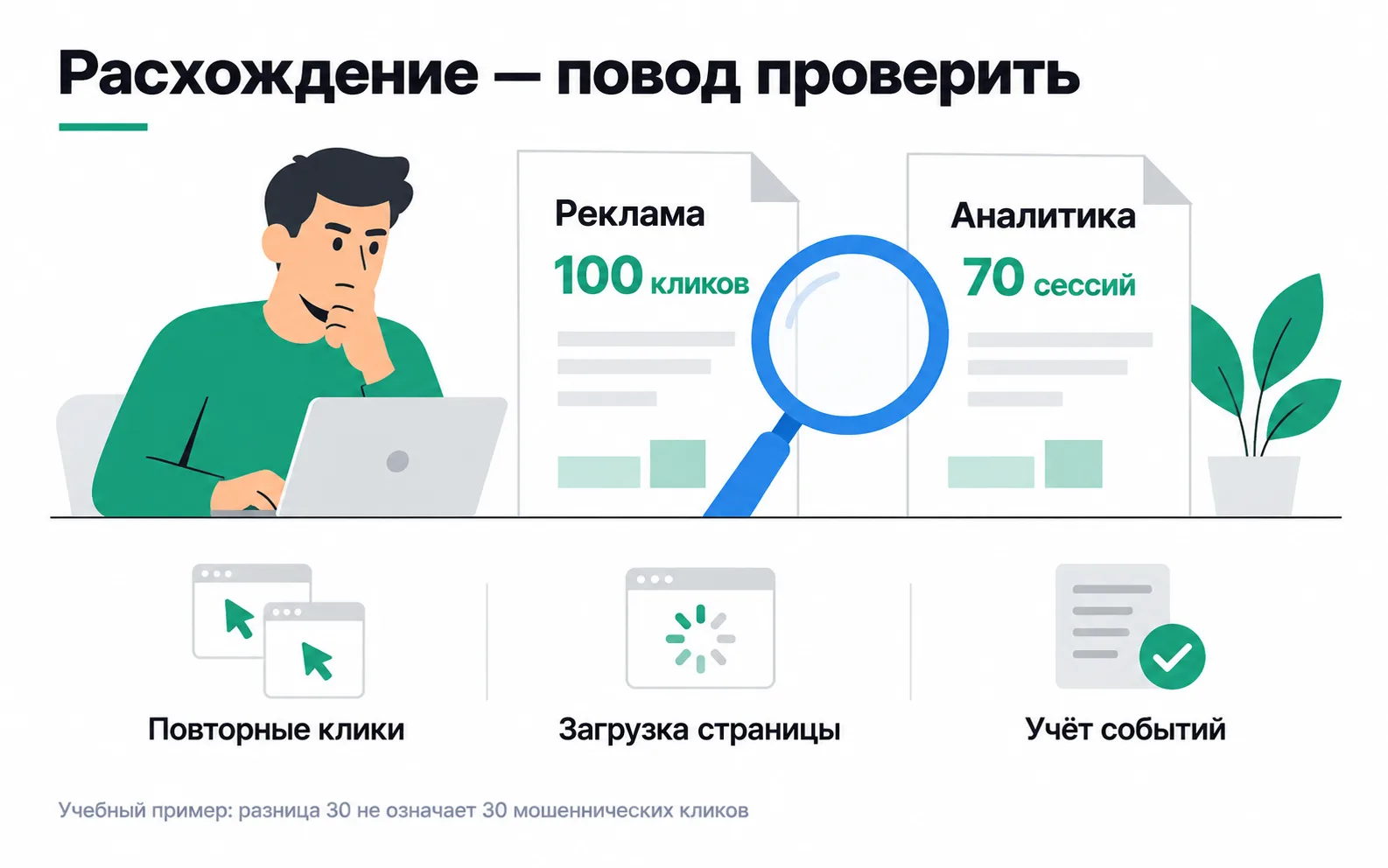
Google counts a click the moment someone taps the ad. GA4 records a session only once the page has loaded and the tag has managed to send its data. The gap is made up of three causes, and all three are drawn in the picture (click and session discrepancies).
The first is repeat clicks. Someone taps the ad, goes back to the results, looks at a competitor and taps again: two clicks in Google Ads, one session in GA4. The second is page loading. On mobile data the page takes a few seconds to load, and some people close it before the tag fires: the click is paid for, the session never happens. The third is how events are counted. If the visitor declines analytics in the cookie banner, the visit may not make it into the standard GA4 reports. That is how consent and consent mode work.
There is also an effect in the other direction. Google removes invalid clicks from its own reports, while GA4 still records those visits. So the 14 filtered clicks, if anything, narrow the gap.
Two totals cannot tell you how much of the 30 belongs to each cause, but each cause can be checked on its own. In GA4, look at the port_repair campaign's sessions by landing page: if some clicks land on a page without the tag, or pass through a redirect that drops the tag parameters, the gap is a tagging problem. Open the page on a phone over mobile data and time how many seconds it takes to be usable. See what the cookie banner does when someone taps "Decline". And if the gap grows week after week, and invalid clicks grow with it, bots have arrived and the filters may have let some of them through: go to the server log.
The competitor and one IP address
Google Ads does not show which addresses the clicks came from. The owner found the address in the server log at his hosting provider: six visits carrying a gclid between 10 and 12 o'clock. The first step is to look the address up in any whois service and see who owns it. For the shop it turned out to belong to a mobile carrier. Mobile carriers, like offices and cafés, put hundreds or thousands of devices online behind a single public address (shared IP addresses and NAT). Six clicks in a morning from such an address on a phone repair query could be six different people, or one person comparing prices. The log cannot tell them apart.
Excluding an address is easy. At campaign level it is Settings → Additional settings → IP exclusions, up to 500 addresses per campaign. There is also a single list for the whole account: Admin → Account settings → IP exclusions (how to exclude IP addresses). Performance Max and video campaigns have no campaign-level setting, so only the account list applies there. But if you exclude a carrier's address, you hide your ads from everyone who goes online through it, while the competitor switches to Wi-Fi and gets a new address. Exclusions make sense for fixed addresses: your own office, where staff search for the shop on Google themselves, or a competitor's wired connection if you know it. Log every excluded address in a spreadsheet with the date and the reason: in six months nobody will remember why it is there.
If a third-party "click fraud protection" service finds suspicious addresses and adds them to your exclusions by itself, keep the 500-address limit in mind, along with what Google says about third-party traffic reports: such tools often flag clicks that Google has already filtered and not billed.
When to ask Google for an investigation
If you believe the filters let invalid clicks through, Google will manually review traffic from the last 60 days. The request goes through the Click Quality Form, linked from the help article on invalid traffic. Gather this first:
- The 10-digit Google Ads customer ID.
- The exact dates of the suspicious activity.
- The campaigns, ad groups and keywords where the spike happened.
- The server log for those clicks: IP address, browser and device (user agent), and the
gclidthat lets Google find its own click. - If the issue is leads, a spreadsheet with each lead's
gclidand your assessment: reached, number does not exist, person says they never submitted the form. - A couple of sentences on why the traffic looks suspicious, for example: three times the usual clicks, the same number of leads.
The review takes several business days. Google will not tell you which specific clicks it judged invalid, and if it finds any that were missed, it issues a credit. The shop has almost nothing to send for this week: Google filtered 14 clicks by itself, the six visits came from a carrier's address, and only one spam lead carries a gclid. Write that gclid down: if more leads like it turn up, that is item 5 on the list.
Spam leads do not only come from ads
The four night-time leads arrived on Wednesday between 03:12 and 03:15: "+7 000 000 00 00", "+7 777 777 77 77", "123" and "test". Three of them have neither a gclid nor UTM tags in the lead sheet, so they did not reach the site through an ad. Bots find forms on websites by themselves and fill them in, and excluding addresses in Google Ads changes nothing here. The fourth came with a gclid: the bot went through the ad, and Google may have filtered that click or may have let it through. Google says as much: its filters run after the ad is served and cannot shield your form from bots, so lead quality is partly your job (how to prevent invalid leads).
"123" and "test" in the phone field mean the input mask in the browser did not stop the bot: these programs post data straight to the server. So the shop puts protection in at three levels:
- reCAPTCHA on the form, which Google lists first;
- a check on the server: exactly 10 digits after +7, and not the same digit repeated, otherwise the lead is not saved;
- a hidden honeypot field: a person never sees it and leaves it empty, a bot fills in every field, and the server throws such leads away.
The generate_lead event goes to GA4 only once the server has accepted the lead, as in the lesson on GA4. Bots the server rejected then appear neither in analytics nor in Google Ads conversions. This matters once the campaign moves to the Conversions strategy: the algorithm learns from whatever you called a conversion, and spam leads will teach it to bring in more bots. The safest choice is to optimise the campaign for a goal a bot will never reach, such as a paid repair from offline conversion imports. For campaigns optimised for the Qualified lead and Converted lead goals, Google turns on separate invalid traffic protection built for lead campaigns (best practices for high-quality leads).
What Meta has
Meta also does not charge for invalid clicks, including those from bots and fake accounts, and you can see the share of filtered impressions by comparing the Impressions column with Gross impressions. For spam in instant forms there is phone number verification with a one-time code: without the code, the form cannot be submitted. Kazakhstan is not on the list of countries where the feature is unavailable, but you may get fewer leads at a higher cost each.
Exercise: audit the account and answer the owner
Go through your own ad account or a client's:
Now go back to the owner's message from the start of the lesson. What do you reply?
Over the week Google filtered 14 clicks by itself and did not charge for them. Fraud cannot be seen in the two totals: a gap of 30 can come from repeat clicks, people leaving early and visitors declining cookies, and each cause gets checked separately. The address from the log belongs to a mobile carrier, so blocking it would hide the ads from every subscriber behind it without stopping the competitor. Three of the four spam leads did not come from an ad, so it is the form that needs fixing first.
You could write to the owner like this: "Google has already filtered 14 invalid clicks and did not charge for them. 100 clicks and 70 visits do not add up to 30 stolen clicks: one person can tap twice, some people leave before the page loads, some decline cookies, and we will check each of these. The address you sent belongs to a mobile carrier; hundreds of people go online through it, and blocking it means hiding the ads from all of them. Three of the night-time leads did not come from the ads, and the fourth carries a Google tag: we have logged its click, and if more like it turn up, we will send them for review. We are adding a phone number check to the form."