An online analytics school in Almaty has three curators, each with 20 students per stream. In the first week of every stream they answer the same questions: which laptop will do, where are the files for the first lesson, how do I open the report in Data Studio (formerly Looker Studio). In the September stream there were 48 of these questions, and nine people turned up to the first lesson without the files, so the first twenty minutes of the lesson went on getting everything to open for them. The senior curator suggests writing a checklist. The owner isn't sure: "Why? A Telegram post of ours gets three thousand views in a day. Let's write a post."
A post and a checklist can be made of the same words, but they work differently. Let's look at what sets an asset apart from a post, what it costs the school, who is responsible for it and when it needs rewriting. The school's numbers in this lesson are illustrative.
A post and an asset
An asset is something that is useful more than once. A content asset works the same way: you make it once, people use it for months, and every further use costs next to nothing. That takes three properties: a permanent address, an answer to a question that keeps coming up, and an owner.
| Post in the channel | Checklist on the website | |
|---|---|---|
| How to find it | Scroll back through the feed | Open a permanent address you can send to anyone |
| When it is read | On the day it goes out and a couple of days after | Whenever the question comes up, even six months later |
| Who keeps it accurate | Nobody, the post has gone out | The checklist's owner |
The school did both. The full checklist sits on the website at a permanent address under the title "How to prepare for your first lesson", and during the recruitment week a short Telegram post, post_b, "Before your first lesson", went out with a link to it. The post got 3,400 views and 52 forwards, while that week's course announcement got 2,100 and 6. But a student who pays for the course a month from now will never see that post, while a curator can send them the checklist link in a second.
What goes into the checklist
The checklist answers the questions curators hear every stream and nothing else. The school pulled them from the stream chat for the first week and ended up with five sections:
- Laptop. Windows or macOS, 8 GB of memory, the Chrome browser. Excel isn't needed: the course runs in Google Sheets.
- Accounts. A Google account, which the curator uses to give access to the course folder.
- Files for the first lesson. A link to the folder and what to download in advance.
- The report in Data Studio. How to open the course report from the link and what to do if it asks for access.
- If something didn't work. Who to write to and what to attach: a screenshot of the error and the email address you signed in with.
Requirements are written as they are today. If the course needs no paid software, the checklist says so. If it does, that is said before payment, not after. Every screenshot comes with a written step: small labels in a picture can't be read on a phone, while text can be copied and searched.
This matches how Google describes helpful content: the material has an audience that needs it, the author knows the subject first-hand, and the reader can do what they came for afterwards. For the checklist all three come down to one question: can a new student get ready for the lesson without writing to a curator?
One piece, three places
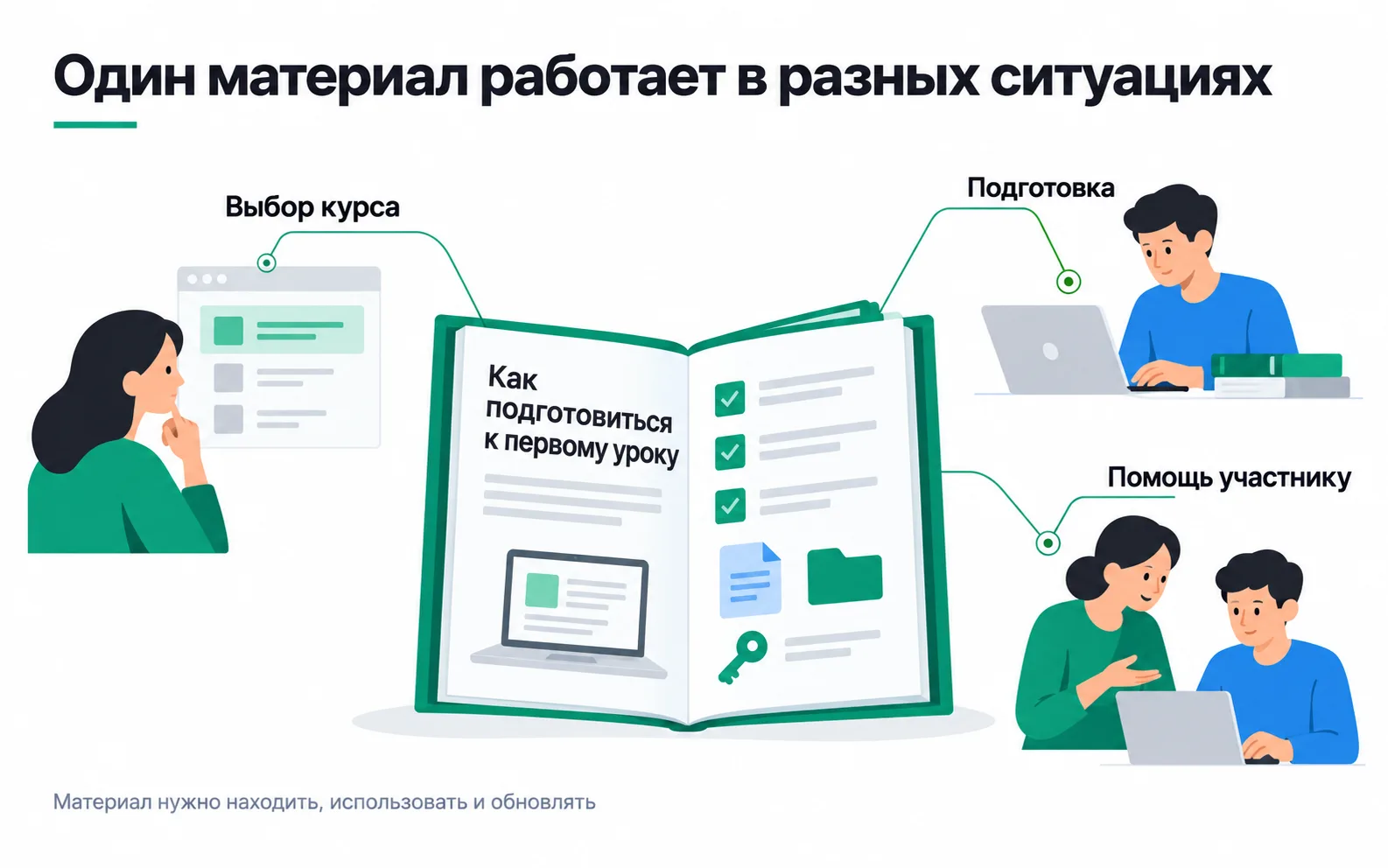
The checklist is needed in the three situations in the picture, before payment, before the first lesson and when a student gets stuck, and all five places where the question comes up hold a link to one page, with no copies of the text.
What it costs and when it pays off
Let's treat the checklist as an investment. The school values an hour of curator time at 3,000 ₸.
| Item | Hours | Amount |
|---|---|---|
| The senior curator writes the text | 6 | 18,000 ₸ |
| A curator walks through the checklist on a clean laptop and takes screenshots | 2 | 6,000 ₸ |
| One-off creation | 8 | 24,000 ₸ |
| Monthly update | 1 | 3,000 ₸ |
What the checklist should save: 48 repeat questions per stream at 7-8 minutes each including the back-and-forth comes to about 6 curator hours, or 18,000 ₸ per stream. If the checklist removes at least half of those questions, it saves about 9,000 ₸ per stream and, allowing for updates, pays for itself in four streams, which is roughly four months. The curators spend the freed-up hours checking homework.
Some of the benefit can't be counted in tenge: the nine people who came to their first lesson in September without the files. Their course started with nothing opening, and the teacher spent twenty minutes of a shared lesson on them.
A post takes an hour to write, but it stays in the feed: a month later someone has to dig it out, and for the next stream it has to be written again. So a post is good for telling people about the checklist, while the answer itself has to live at a permanent address.
The owner and the reason to update
An asset without an owner ages fast. The school's checklist is owned by the senior curator, and its card says:
| Field | "How to prepare for your first lesson" checklist |
|---|---|
| Who it is for | New students in each stream and people choosing the course |
| Job | Get the laptop, account and files ready before the first lesson |
| Where the link should be | Course page, post-payment email, stream chat, curators' replies, the Telegram post |
| Owner | The senior curator |
| Reason to update | A change to the programme, the file folder, the access procedure or a service's interface |
| How to tell it works | How many preparation questions the curators get in the first week of a stream |
Reasons to update come from outside too. In April 2026 Google returned Looker Studio to its original name, Data Studio, as stated in the Data Studio documentation. It is the same product, but the school's video lessons, recorded earlier, show "Looker Studio" on screen, and students ask whether it's the same service. So the checklist says exactly that, "Data Studio (formerly Looker Studio)", and the screenshots are taken from the new interface.
The owner will only catch the next rename like this by walking through the checklist personally. A quarterly review suits material where things change slowly, but a checklist about Google services gets checked before every stream: the owner opens it on a clean laptop and follows the steps in order. If the material is no longer needed, it isn't deleted silently: the old address says where the answer is now, so the links in emails and curators' replies don't lead nowhere.
When an asset works through search
Nobody searches for the checklist by the school's name. But someone who hasn't chosen a school yet might ask a search engine "which laptop do I need for an analytics course". Whether the checklist will bring people in from search is, for now, a hypothesis, and it is tested in Search Console. The Performance report shows clicks, impressions, CTR and average position for each page. Two or three months after publishing, once the page has had time to appear in search, open the Pages tab and find the checklist's address. If it has impressions and queries that look like students' questions, the checklist has picked up a second job. If it shows zeros, it is still a good asset, just for students rather than for search.
It's too early to promise a client "search traffic" from a single article. First you use the keyword research to see whether anyone searches for those queries at all, then you check the page in Search Console, and only its numbers tell you whether it brings in new people.
Exercise: an asset card for your own project
Take a business where customers or staff keep asking the same questions: your own, a client's or a friend's.
The arithmetic decides whether the material is needed at all: if a question comes up three times a month and takes five minutes, the material is unlikely to pay off, and answering by hand is simpler. An asset makes sense where the question repeats dozens of times or a mistake is expensive, like nine students without files at their first lesson.
Then the card. If the "where the link should be" field just says "website", the material has no route to its reader yet and will wait to be found. If the owner field says "the team" or "marketing", there is no owner: put in a named person. And don't put views in the "how to tell it works" field. Views tell you the page was opened; a question in the chat tells you the answer wasn't found there.
Video: organising content marketing
How to build content marketing around a business's goals.