Saule in Karaganda ordered a kilo of Ethiopian beans from an online coffee shop and ticked "I brew with a pour-over" on the order form. Three days after delivery she got the shop's newsletter: a new espresso blend, 10% off. Saule has no espresso machine, so she clicked "Unsubscribe". The shop knew how she makes her coffee, but the email was put together as if it didn't. It is the same shop as in the lesson on RFM analysis, and the shop's numbers are made up.
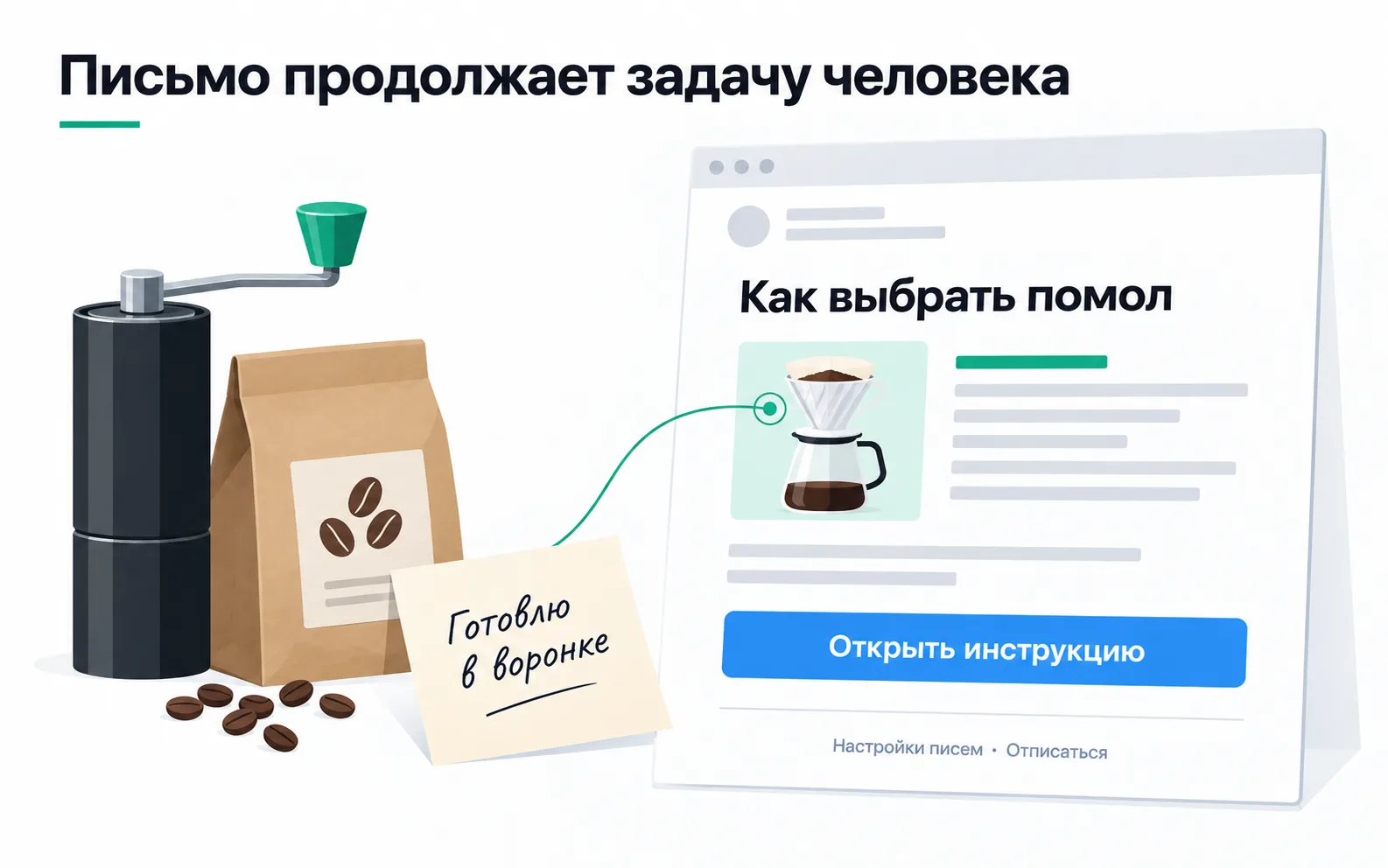
A good email picks up where the customer already is with the purchase. What Saule needed was advice on grinding for a pour-over and a single button that takes her to it.
Which emails people expect
The shop sends two kinds of email. Service emails are about an order: received, handed to the courier, arriving tomorrow. Everyone who ordered gets them, because otherwise they won't know where their parcel is. Everything else (new lots, brewing tips, a reminder that the beans are running low) goes only to people who signed up for it. The order form has a checkbox for that, "Send me emails about new beans and tips", and it is unticked by default.
An address on an order is not a subscription. People leave it to get a receipt and delivery updates. It is safer to treat an email address in the database as personal data. On our reading of Art. 14 of the law On Personal Data and Their Protection (as amended up to 14 September 2026), if the consent named only receipts and delivery, the newsletter needs a separate consent. This is not legal advice. The consent rules for SMS, WhatsApp and push are similar, except that each channel has its own checkbox.
That is why the two kinds are kept apart. Put a promotion into the "Your order is on its way" email and it reaches people who opted out of advertising.
At the online analytics school, the service email is the one that arrives after someone pays for the course. Its first line links to the guide "What to prepare for your first lesson", tagged utm_source=email, utm_medium=email, utm_campaign=onboarding, utm_content=first_lesson, as in the lesson on content distribution. Everyone who paid is waiting for that email, and an ad has no place in it.
Data that changes the email
A first name in the greeting changes nothing. "Saule, we have a new espresso blend" is still the wrong email for her. Personalisation pays off when you take from the order the things that decide what the email says:
| What the shop knows | Where from | What changes in the email |
|---|---|---|
| How the customer brews | The "How do you make your coffee?" field on the order form | Grind instructions for a cezve, a pour-over, an espresso machine or a moka pot |
| Which beans they bought | Order history in the CRM | The "Due a reminder" segment gets an email about the same beans, or similar ones if the lot has sold out |
| RFM segment | Calculated from the CRM export | Regulars hear about a new lot a day before everyone else |
Any field can be empty. The brewing field is optional and some people skip it. They get a general email where all four methods sit side by side, each linking to its own guide. Without that fallback, someone will get a subject line reading "How to choose your grind for" with nothing at the end.
Since Saule's story, the guide goes out automatically, two days after delivery and only to customers who ticked the box: it is one of the shop's trigger flows.
The email has one action: "Open the guide". Put "Catalogue", "Offers" and "Instagram" buttons of the same size next to it, and someone who wanted to sort out their grind starts deciding what to tap. Email settings and unsubscribe sit at the bottom in small type, but you can find them at a glance, as in the picture.
Before sending, open the email with images turned off and on a phone. The headline, the text and the button must stay as text: an email made of one big picture becomes an empty rectangle with images off, and a screen reader can't read a word of it. The button goes straight to the pour-over guide. If it opens the catalogue, the customer has to hunt for the guide all over again.
How an email reaches the inbox
Your email service accepting a message doesn't put it in the inbox. The recipient's mail provider decides that, and first it decides whether to trust the sender. Three DNS records on the shop's domain answer that question. SPF lists the servers allowed to send mail for the domain. DKIM is a digital signature: the provider checks it against the domain's public key and confirms the message wasn't altered on the way. DMARC tells the provider what to do with mail that fails these checks and where to send reports.
The email service gives you the records, and whoever manages the domain adds them. The emails go out from an address on the shop's own domain, not from gmail.com: the signature and the rules are tied to the domain, and you can't set them up on someone else's.
Since 1 February 2024, Google has required everyone who sends to Gmail addresses to set up SPF or DKIM, send over an encrypted connection (TLS) and keep the spam rate in Postmaster Tools below 0.3%, ideally below 0.1%. Anyone sending more than 5,000 messages a day to Gmail needs SPF, DKIM and DMARC together. For them, the domain in the From field must match the SPF or DKIM domain, and marketing and subscribed messages must offer one-click unsubscribe plus a visible unsubscribe link in the body. Yahoo asks almost the same of bulk senders and adds a deadline: honour unsubscribes within two days.
The shop has 1,100 subscribers and mails them once a month, nowhere near 5,000 a day. It still sets up all three records and one-click unsubscribe from the start. Unsubscribing in one click is easier, and someone who can't find the button clicks "Report spam" instead, so the complaint counts towards that 0.3%.
You can check the setup with your own mailbox. Subscribe, open the email in Gmail on a computer and click the arrow next to the sender's name: the "mailed by" and "signed by" lines should show the domain of the shop. If "signed by" shows the email service's domain, the service is signing with its own domain. Google requires bulk senders to have the From domain match the SPF or DKIM domain, so you ask the service to sign with the shop's domain. The details are under "More" → "Show original": the Authentication-Results header carries the spf, dkim and dmarc results.
A purchased list of addresses never goes into the newsletter. The shop has no record that these people signed up for its emails; spam complaints can hurt delivery to its other subscribers.
What to count after a send
On Tuesday 6 October the shop emailed its subscribers about a new lot from Colombia. The links are tagged from the shop's dictionary: utm_source=email, utm_medium=email, utm_campaign=reorder, plus a new value, utm_content=colombia_lot, which went into the dictionary first. A week later the numbers look like this:
| What | How many | Where from |
|---|---|---|
| Sent | 1,100 | Email service |
| Delivered | 1,080 | Email service: 20 mistyped or closed addresses returned an error |
| Opened | 640 | Email service, including opens recorded by Apple Mail |
| Clicked a link | 130 | Email service, unique recipients |
| Unsubscribed | 9 | Email service |
| Orders from the email's links within 7 days | 38 | CRM, by utm_source=email, utm_campaign=reorder and utm_content=colombia_lot |
The owner sees a 59% open rate and wants to compare subject lines by it. But since 2021 and iOS 15, Mail Privacy Protection in Apple Mail has stopped senders from knowing whether someone opened an email (how it works). Mail preloads the tracking pixel even if nobody opened the message, and the email service records an open (Mailchimp). The shop has no way of knowing how many of the 640 opens are real. In Mailchimp you can tick a box to exclude these opens from reports for emails sent from 22 June 2024. Apple's protection doesn't change clicks, so compare emails by clicks and orders. Not every click is a person, though: security services often follow links before the recipient does. In Mailchimp the bot filter is on by default and removes most of these clicks from reports.
Every rate gets its denominator written next to it. 130 clickers out of 1,080 delivered is 12.0%, out of 1,100 sent it is 11.8%. The gap is small, but once one report divides by delivered and another by sent, you can no longer compare them.
The 38 orders from the email's links add up to 570,000 ₸ in revenue at an average order of 15,000 ₸. You can't credit all of them to the email. Among customers who order more than once, the median gap between orders is 28 days, so some of those 38 people would have ordered that week anyway; the link just happened to be at hand. Only a group of subscribers who didn't get the email can show how many orders it added. That group is chosen at random, as in trigger flows.
Look at unsubscribes by segment. If after an espresso email like Saule's the people leaving are mostly those whose orders say cezve or pour-over, the email went to the wrong people.
Exercise: audit your client's emails
Take a business that already sends email: your own project, a client or an owner you know.
If the marketing newsletter goes to everyone who has ever ordered, the list gets cleaned before the next send: keep the people who ticked the box and invite the rest to subscribe on the site or with their next order. If "signed by" shows the email service's domain, connect your own domain in the service's settings and add the DNS records it gives you. An unsubscribe that needs a login is no longer one click: hitting "spam" is easier than remembering a password.
Sometimes there is nothing to personalise with, because the business never asks the customer anything. Then the field goes where people already answer questions, on the order form, and a month later the first answers are in the database. And if the client's report leads with opens, add clicks and tagged orders next to them.
The finished audit fits on one page: the list of emails with their kind and consent, the SPF, DKIM and DMARC results, one personalisation proposal and a table of the last campaign with every denominator labelled.