A month after the article "What you need to start learning analytics" went live, the owner of the online school sends the marketer a screenshot. He asked ChatGPT which laptop you need for an analytics course, and the answer includes a link to the school's article. "There it is, a new channel. Let's rewrite the whole blog for ChatGPT, and while we're at it, block the bots that train on other people's texts." The school's numbers are made up.
The screenshot shows one thing: on one day, ChatGPT gave one person a link to the school. Whether anyone clicked it and submitted the form is not on the screenshot; that comes from Search Console and GA4.
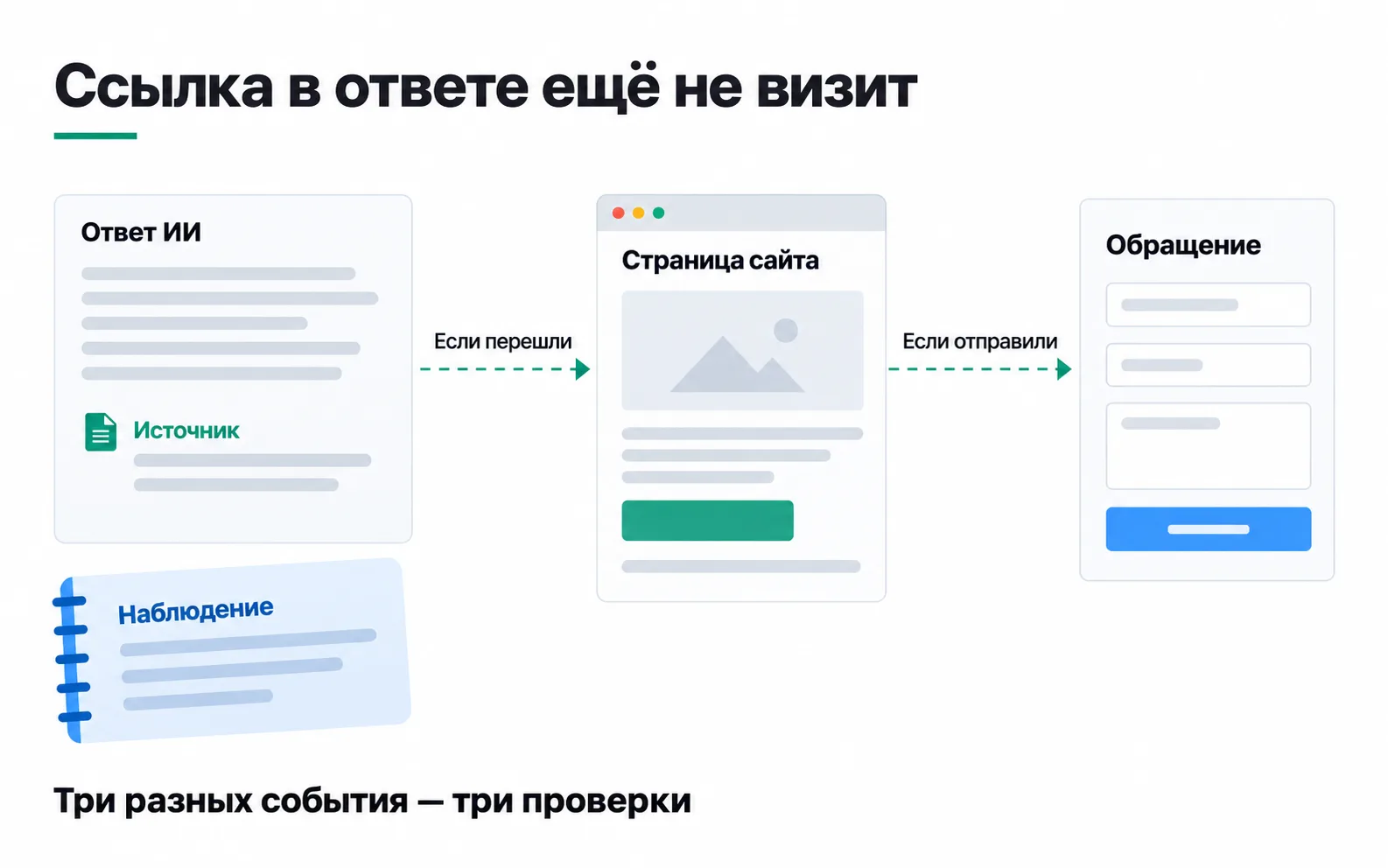
Where AI answers get their links
Each system has its own rules, and the thing to rely on is what the service itself says.
Google: AI Overviews and AI Mode. The requirements are the same as for regular search: the page must be indexed and eligible to be shown with a snippet. No special files or markup are needed (AI features and your website). Both features may issue several related searches across subtopics ("query fan-out"), so the set of links in an answer is broader and more varied than in regular results. AI Mode and AI Overviews may run on different models, so their links differ even for the same question.
In July 2026 Google updated its guide to optimising for generative AI features, and its conclusion is blunt: optimising for AI answers is still SEO. Google ignores files such as llms.txt: in its words, they neither help nor hurt. Special markup isn't needed either. The guide also lists tactics you can skip: chopping text into small chunks "for AI", rewriting it specifically for AI systems, collecting inauthentic mentions. And one sentence worth remembering when choosing tools: no third-party tool has access to Google's internal ranking or AI systems. An "AI visibility score" in any tool is that tool's own estimate, based on queries it ran itself.
ChatGPT. According to OpenAI's documentation, ChatGPT search relies on the OAI-SearchBot crawler, and for a page to appear in answers, robots.txt has to let it in. A site that blocks it won't be shown in answers, though it can still appear as a plain navigational link. After a robots.txt change, OpenAI's systems need about a day. How ChatGPT chooses among the pages it can reach is not described: the documentation covers access, not ranking.
Perplexity. In Perplexity's documentation, PerplexityBot exists to find sites and link to them in answers, and it is not used to train models. Perplexity doesn't publish a ranking rule either.
Which bots to allow in robots.txt
The owner wants to block "the bots that train". At Google and OpenAI, training and search are handled by different crawlers, so you can close one without touching the other:
| Crawler | What it does | What happens if you block it |
|---|---|---|
| Googlebot | Google Search, including AI Overviews and AI Mode | The page drops out of Google Search altogether |
| Google-Extended | Training Gemini models and grounding their answers in search data | Google Search and your place in it don't change |
| OAI-SearchBot | ChatGPT search | The page won't appear in ChatGPT answers |
| GPTBot | Training OpenAI models | Your texts stay out of training; ChatGPT search is set separately |
| PerplexityBot | Perplexity search | Perplexity advises allowing it so the site appears in answers |
The school blocked the two training crawlers and left the search ones alone:
There is no need to explicitly allow Googlebot, OAI-SearchBot and PerplexityBot: whatever isn't disallowed is allowed. If the file has a User-agent: * group with restrictions, those restrictions apply to them as well.
Not every fetcher reads robots.txt. ChatGPT-User and Perplexity-User open a page when a person asks for it in a chat. OpenAI says robots.txt rules may not apply to ChatGPT-User, and Perplexity says Perplexity-User generally ignores robots.txt. Anything nobody should see goes behind a password, not into a robots.txt line.
Google-Extended won't take you out of AI Overviews and AI Mode while keeping you in regular search. For that, since 31 August 2026, every site has a Search Console setting called "Search generative AI": a site that switches it off gets neither impressions nor traffic from those features, and the setting has no effect on ranking anywhere else in Search (Search generative AI control). The school doesn't need it: the whole point of the article is to be found.
What Search Console and GA4 show
Google counts traffic from AI Overviews and AI Mode in the regular Performance report under the "Web" search type, with no separate line for them. Since 31 August 2026, every site also has a Generative AI performance report (Search). It shows impressions only: how many times a link to your site appeared in AI Overviews or AI Mode, by page, country, device and date. On the site-level chart, two links to the same site in one answer count as one impression. The report has no clicks.
GA4's default channel group now has an AI Assistant channel for traffic from ChatGPT, Gemini, Deepseek, Copilot and Grok. In the school's report, sessions from ChatGPT came in with the source chatgpt.com. Perplexity isn't in Google's list, so its sessions are found by the session source perplexity.ai, and you look at which channel GA4 assigned them to. A click on a link in AI Overviews arrives as google / organic, and GA4 can't tell it apart from a click on a regular result.
Here is what the school's article collected in its first month:
| Where to look | The month |
|---|---|
| Search Console, Performance report, filtered to the article page | 860 impressions, 22 clicks |
| Search Console, Generative AI performance report | 140 impressions, no clicks in the report |
| GA4, AI Assistant channel | 9 sessions: 7 from chatgpt.com, 2 from gemini.google.com |
| GA4, source perplexity.ai | 3 sessions |
GA4, generate_lead with form_name = course_signup from those 12 sessions | 1 |
By the school's own estimate, a lead is worth 5,000 ₸: roughly one lead in five pays for the 25,000 ₸ course. In total, ChatGPT, Gemini and Perplexity brought 12 sessions and one lead in a month, and there is no way to know how many clicks AI Overviews produced: they sit somewhere inside the 22 Google clicks. A single lead can't tell you whether these people are better than the ones who came from regular results. Nothing here justifies rewriting the blog for ChatGPT.
Your own site won't tell you how many clicks AI answers take away from regular results, because that would need the same results page without an answer to compare against. There is outside research. The Pew Research Center collected the browsing history of 900 US adults for March 2025, covering 68,879 Google searches. When the results included an AI summary, people clicked a regular link in 8% of visits to the results page, compared with 15% without one, and clicked a link inside the summary itself in 1%. That is the US in 2025; in Kazakhstan's search results and in your niche the shares may differ. Google's documentation says something else: in its observation, people who arrive from results with an AI summary are more likely to spend more time on the site. It gives no figures.
A log of observations
The reports don't fully show where the article appears in answers, so once a month the marketer keeps a log. It holds eight questions that curators hear from students and three systems: Google (AI Overviews or AI Mode), ChatGPT and Perplexity. The questions are asked while signed out, in Russian, from Almaty, and the date is recorded. Three rows from the first log:
| Question | System | What the answer contains |
|---|---|---|
| Which laptop do I need for a data analytics course | ChatGPT | A link to the school's article |
| Do I need Excel for an analytics course | Google, AI Overviews | No AI answer, regular results |
| How much does a data analytics course cost in Almaty | Perplexity | The school is named, no link, price "25,000 ₸ a month" |
Answers change from one run to the next, so the log is an observation, not a ranking. Nobody tailors the question set to the lucky answers. A new question gets flagged, and only identical sets are compared.
The most useful entry is the third row. The course costs 25,000 ₸ for the whole programme, but Perplexity decided it was per month. The article had the price as "course 25,000 ₸", which can be read either way. The school rewrote it: "25,000 ₸ for the whole course, not per month." Whether that fixes Perplexity's answer will show up in the next log entry. Either way, a person no longer has to guess, and that was the reason for the change.
What to do with the page
The school doesn't build separate pages "for AI". The work is the same as for regular search:
- the page is indexed and eligible for a snippet, which a technical audit confirms;
- the answer comes in the first paragraph, as in the school's fact-checked article;
- facts are written so they can't be read two ways: the price "for the whole course", requirements with numbers, the date of the check;
- readers can see who wrote it and how it was checked, following the rules of E-E-A-T.
The marketer answered the owner in three sentences: "ChatGPT does link to us, but ChatGPT, Gemini and Perplexity brought 12 sessions and one lead in a month, and we can't know how many clicks AI Overviews produced, so there is no reason to rewrite the blog. We blocked the OpenAI and Google training crawlers and left the search ones, which doesn't affect search. We'll keep the eight-question log monthly and in a quarter see whether sessions and leads from AI assistants are growing."
Exercise: the log and robots.txt for your own site
The most valuable entries in a log like this are the factual errors. Each one leads to a fix on the site: a price that doesn't say what it covers, a deadline without a date, a condition buried in the middle of a paragraph. A mention without a link is worth recording too: people are talking about you, but the answer gives them no way through to you.
In robots.txt, look for two traps. The first is a block on OAI-SearchBot or PerplexityBot that someone added "against AI in general": with it, the site may drop out of their answers, apart from the links OpenAI keeps for navigation. The second is the belief that a Disallow line for Google-Extended removes the site from AI Overviews. It won't; that is what the Search Console setting is for.
If GA4 shows fewer than ten sessions from AI assistants in a month, that is a normal start, and a number like that says nothing about the channel. Write the numbers down and come back to them in a quarter, comparing against the same set of questions in the log.
Video: a discussion of GEO
Check the advice in the video against Google's guide and OpenAI's documentation, both linked above.