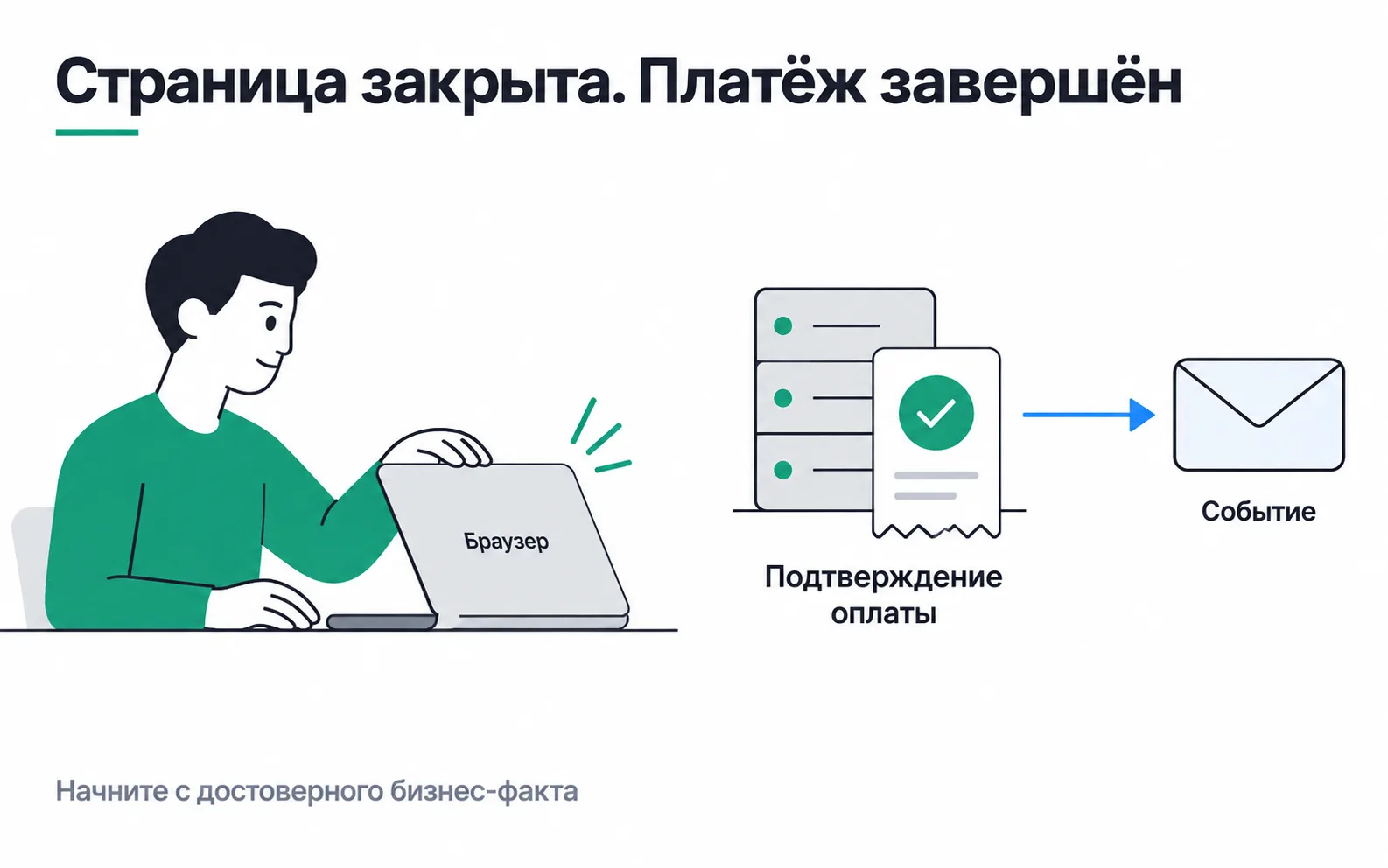
An online appliance shop in Almaty. Most of its orders are paid in cash on delivery and never enter the server payment flow, but order T-310 for 48,000 ₸ is paid by card on the site (the numbers in this lesson are made up). The buyer pays on the payment provider's page, sees "Payment successful" and closes the tab without waiting to be sent back to the site. The Meta pixel sits on the thank-you page, so no Purchase leaves the browser. Meanwhile the payment provider has already notified the shop's server: the money has been charged and the order is paid.
S2S and the two meanings of server-side
When the system that knows about the payment sends the event itself, that is S2S, server-to-server: the request goes from the shop's server to the servers of Meta, Google Ads or GA4, and the browser plays no part in it. A closed tab does not get in its way.
"Server-side" also covers the setup where the browser sends events to your server container; if only the browser writes to the container, it cannot rescue a closed tab. Both setups, and what to save when a lead comes in, are shown with a payment that follows a lead.
First decide what a purchase is
An order goes through many steps: creation, a hold on the card, the charge, a partial payment, a cancellation, a refund. Purchase has to mean one of them, and that decision is written down in words before the first line of code. For this shop the rule is: a purchase is a confirmed full payment of the order. Refunds go through a separate process. If the shop sells on instalments or by subscription, those get a rule of their own, otherwise the full order value goes to the ad platform with every payment.
For an online payment the source of the fact is the payment provider's notification, not an opened thank-you page. Nor is the notification taken on trust. The server verifies it the way the provider requires (a signature, or a request for the transaction status) and checks the transaction ID, the amount, the currency and the order state. Otherwise anyone who learns the handler's address can "pay" for an order with a request that says paid.
The chain for one order
For order T-310 the server records every step, so that a week later you can say where the event is and what happened to it:
| Stage | What we record | Example for T-310 |
|---|---|---|
| Confirmation | which transaction changed the order status, and when | payment notification for 48,000 ₸ at 14:05 |
| Decision to send | whether the fact fits the purchase rule and may be passed on | full payment, buyer allowed advertising cookies |
| Preparation | event ID, payment time, amount, currency, schema version | T-310, 14:05, 48000, KZT, v1 |
| Delivery | number of attempts, last error, time of the next attempt | two attempts, the first ended in a timeout |
| Response | whether the recipient accepted the event | Meta replied with no error |
| Reconciliation | whether orders, sends and what the recipient shows agree over the period | T-310 goes into the monthly four-number reconciliation |
This is a design for the project, not an API format. Meta, Google Ads and GA4 differ in their fields, retry rules and reconciliation methods, and each recipient gets its own adapter.
You cannot look up a single live purchase in Meta. Individual events are visible only in Test events, the Events Manager totals do not remove duplicates, and whether deduplication worked shows in the Event deduplication tab and in Ads Manager. So the fate of one order is traced in your own log, while on the recipient's side you look at totals for a period.
Outbox: the payment and the event are saved together
The riskiest spot is the gap between "order paid" and "event sent". If the notification handler saves the payment and immediately fires a request at Meta, a server crash between those two actions leaves a paid order with no event, and nobody notices.
It is safer to save them together, using the transactional outbox pattern. In the same database transaction that marks the order as paid, a row goes into a separate table of outgoing events (the outbox): what to send, to whom and with which ID. Either both are written or neither is. A separate worker does the sending: it picks up unsent rows, sends them and records the result. If the server crashes, the row is still there and goes out after the restart.
The pattern has a flip side: after a crash the worker may send the same row twice. That is why the event ID is stored in the outbox row itself and never changes between attempts.
The outbox table also shows what is stuck. Rows older than an hour with no sent mark are a reason for an alert. Rows older than a week will no longer get into Meta: it does not accept events with an event_time more than seven days old. Such rows are marked expired instead of being retried forever.
A retry must not create a second purchase
The recipient accepted the request, but the response was lost on the network. The worker sees a timeout and does not know whether the event got through. If every attempt creates a new ID, the retry turns into a second purchase of T-310.
With the same ID a retry is safe: Meta removes redundant server events with identical event_name and event_id. The order number works as the ID only while the rule allows one purchase per order. If an order is paid in parts, each transaction gets its own key. When the same purchase also arrives from the browser (the buyer did wait for the thank-you page after all), Meta merges the pair with matching event_id and event_name if they arrive within 48 hours. Setting up that pair is covered in detail in the lesson on the Meta Conversions API.
Errors come in two kinds. Temporary ones, such as a timeout or an overloaded recipient server, are retried with a growing pause and a cap, for example five attempts over a few hours. Permanent ones (wrong currency, a missing required field, an expired time) are pointless to retry and get fixed first. Those events go to a review queue, and the queue has an owner. Retrying a bad request forever loads the server and does not add a single purchase.
Reconciliation: four numbers a month
Once a month you compare four numbers. An example for a closed month:
- the shop's database has 100 orders paid by card on the site (cash on delivery never enters the server payment flow);
- 80 of them fit the rule for sending to Meta; the other 20 buyers declined advertising cookies;
- all 80 were sent, and Meta accepted 78;
- Ads Manager credits ads with 50 purchases.
It is tempting to call the gap of 100 - 50 "50 lost purchases". In fact it is made of three parts, and different people deal with each:
| Gap | What it is | What to do |
|---|---|---|
| 100 - 80 = 20 | orders the rule says are not sent | nothing to fix, only check that the rule is applied |
| 80 - 78 = 2 | two deliveries Meta did not accept | the outbox queue should have caught these two within the week; the monthly reconciliation only confirms that it did |
| 78 - 50 = 28 | purchases Meta accepted but did not credit to ads | work on attribution, not on delivery |
20 + 2 + 28 = 50: the whole gap is accounted for.
The last 28 purchases did not go missing. Meta credits a purchase to an ad only if it recognised the buyer and the purchase happened within the attribution window. By default Meta credits an ad with events within seven days of a link click and one day of a view, and the click window can be shortened to one day. The 28 may include buyers who came from search, from 2GIS or on a friend's advice, people Meta could not match, and people who clicked more than a week earlier. Four numbers cannot tell you how many of each.
Before comparing, line up the period and the time zone. Bear in mind that Ads Manager reports a purchase on the date of the ad impression while the shop's database uses the payment date, and agree on how refunds are counted.
If the ad account shows more purchases after S2S goes live, what changed is the measurement. The orders sit in the shop's database, and the new integration did not add any. Sales and the return on ad spend are calculated from the database, and the ad account shows how much of those sales Meta can now see.
Your own server is a point of control, not a finished setup
Moving the sending onto your own server gives you a place where you decide which data goes where. The server will not make those decisions for you: which fields to send, to which recipients and with which permissions is something the team has to configure. Data does not become anonymous by moving, and a phone number in a request stays a phone number on any server. Delivery still has to be checked too: server-side sends also get lost, duplicated and rejected with errors.
The buyer's consent travels the same route. If someone declined advertising cookies, their payment does not go to Meta, not right away, not on a retry, and not in a CRM upload a month later. For an event built from the shop's database, this means the buyer's choice is stored on the order at checkout and checked before every send.
Fields are chosen for the task. A purchase event needs the ID, amount, currency, time and matching data; the customer card with the manager's comments has no business in it. Meta uses a hashed phone number to recognise the person, so hashing does not settle whether you may send it.
Checklist for the first chain
Exercise: the four numbers for your project
Take last month for your own project or a client's and count the four numbers: paid orders in the database, how many of them fit the sending rule, how many the recipient accepted, and how many purchases the ad account credited to ads. Split the gap into three parts, as in the table above. If one of the numbers has nowhere to come from, that is your first finding: nobody records that step.
The second part is a message to a client. Looking at the example above, they ask you to resend those 28 purchases with new IDs so the account shows 78. Write them a reply of three or four sentences, then compare it with the walkthrough below.
The request should be declined, with the reason. Meta has already received and accepted those 28 purchases; it just found no click or impression for them within the attribution window. A new ID will not create an ad touch that never happened. What it will do is hand Meta 28 copies of purchases it already has, and if Meta links any of them to a click, ROAS grows on money the shop never received. If the client wants Meta to recognise more buyers, the work is on matching data: saving the _fbp and _fbc cookies (the fbp and fbc parameters) at checkout and sending a hashed phone number where the buyer has allowed it.
Video: an introduction to server-side GTM
A Russian-language video by Yakov Osipenkov: an introduction to the server-side GTM container, the setup where events come from the browser.